Need help?
Do you have a question about the MUNBYN IPDA018 and is the answer not in the manual?
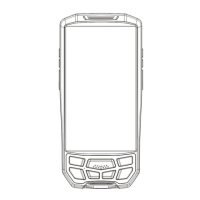
Details the external parts, buttons, ports, and indicators of the handheld terminal.
Explains how to assign and use custom buttons for specific device functions and shortcuts.
Step-by-step guide on how to safely open the back cover and remove the battery.
Important note to remove the battery insulation sticker before initial device power-on.
Instructions for inserting Micro SIM cards and TF cards into their respective slots.
Details the methods for charging the PDA and battery, and explains status indicator lights.
Provides recommendations for optimal battery charging and maintenance to prevent damage.
Guide on accessing and testing the built-in scanner application for barcode reading.
Explains how to configure scanning functions, modes, and output options within the scanner app.
Details the available output modes for scan data, such as Broadcast, Editbox, Keyboard, and Single.
How to change default terminators and configure barcode symbology settings for improved scanning.
Instructions for using the NFC Scanner app to detect and read NFC tags.
Guide on using the LF EXAMPLE app to read LF 125K tags.
Step-by-step instructions for performing Over-The-Air (OTA) updates for the device firmware.
Provides answers to frequently asked questions and solutions for common operational problems.
 General
| Operating System | Android 9.0 |
|---|---|
| Front Camera | 5 MP |
| Protection Grade | IP65 |
| Display Size | 5.5 inches |
| Screen Resolution | 720 x 1440 pixels |
| Touchscreen | Yes |
| Rear Camera | 13 MP |
| Wi-Fi | 802.11 b/g/n |
| Bluetooth | Bluetooth 4.2 |
| 2G | GSM |
| 3G | WCDMA |
| 4G | LTE |
| GPS | GPS |
| Expandable Storage | up to 128 GB |
| Ports | USB Type-C |

 To Next Page