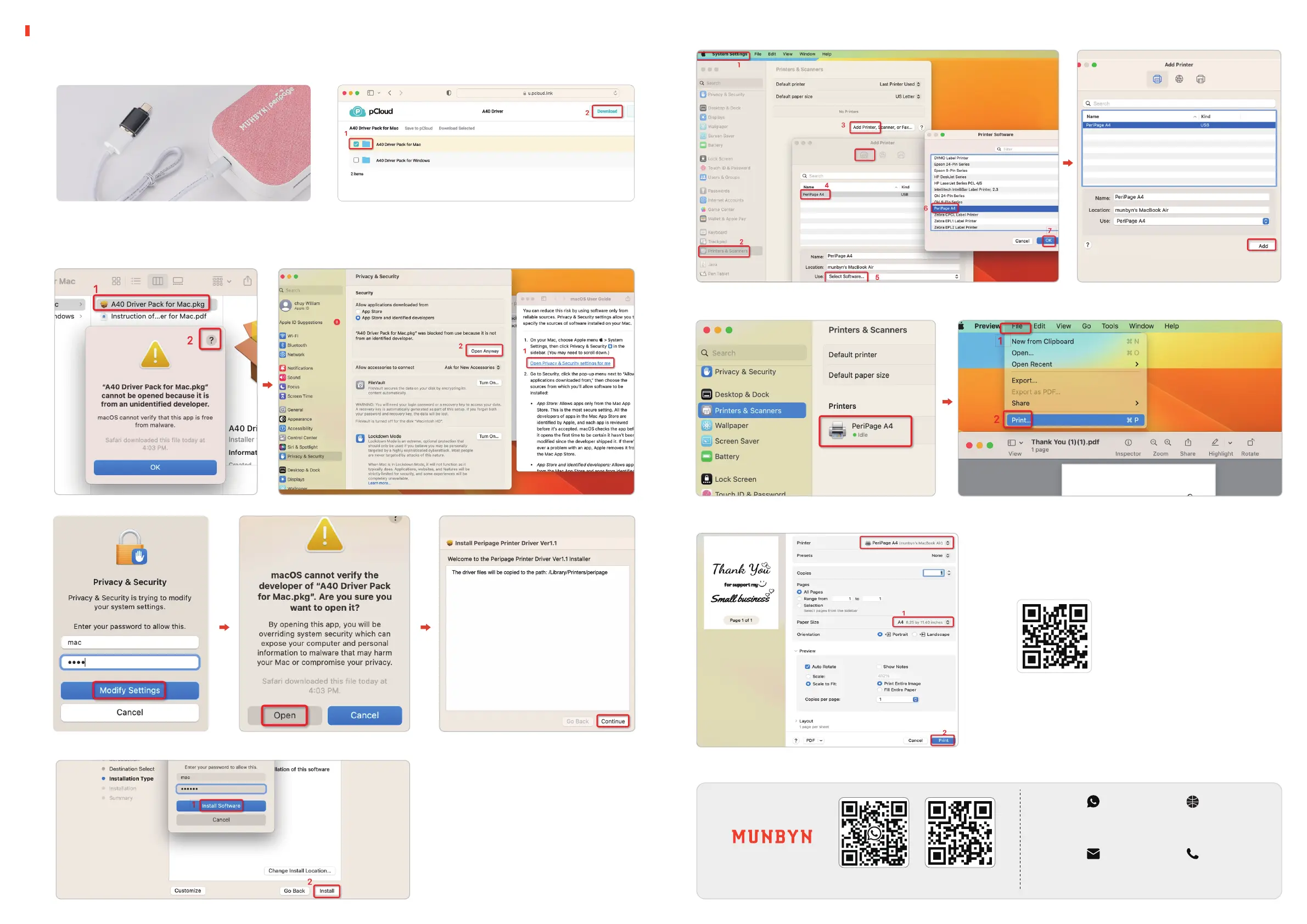
After clicking the driver file, the Mac prompts you that it cannot be opened, you can follow the steps to
open the trusted driver and open it.
1)
Connect to a Mac computer using the
included data cable
1.1
1.2 Driver installation
Download link:munbyn.biz/A4Drivers
For Mac PC
1.3 Add printer and print a file
+86 181 4489 8200
support@munbyn.communbyn.biz/hpA4+86 181 4489 8200 +1 650 206 2250
munbyn.biz/hpA4
E-mail Contact number
Whatsapp Website
Demo video link:
munbyn.biz/A4MacV



 To Previous Page