Page
of
Call the AVPro Team at –North America 877-886-5112 International +1-605-274-6055
File Path = leave as default or name it - ex Jeff Movie LUT (note: file names limited to 48 characters
including the 4 character (.3dl) extension. Spaces are OK, but some special characters cause
problems (particularly '&')
Under the 3D LUT Setting you should refer to SpectraCals document on Appendix A
8) Click OK - this will start the process of measuring and finally writing the LUT - this can take from
about 5 minutes to hours depending on how many samples you take - theoretically - the more
data/samples - the better end result.
Note the file name of the LUT you just created.
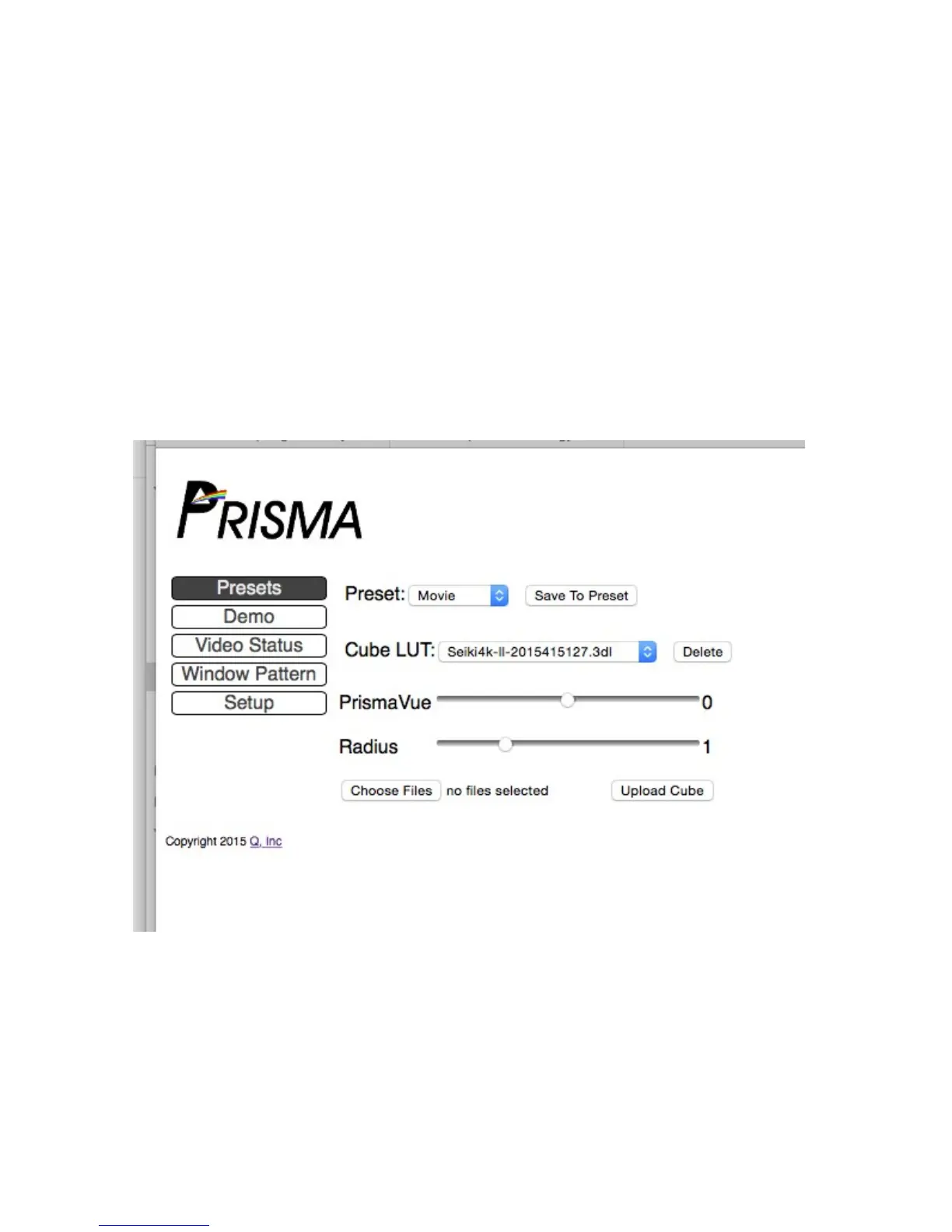
9) Jump back into the Prisma via WebOS ex. http://prisma-xxxx.local/ to get the screen below:
Now click on Choose File and find the .3DL file you just created - if you didn't change the path it
will be under SpectraCal/CalMAN/LUT. You can also use a general search to find it. Then press
Upload Cube.
Now the LUT is, in the example above, assigned to the Movie Preset


 To Next Page
 Loading...