7
Handle Height
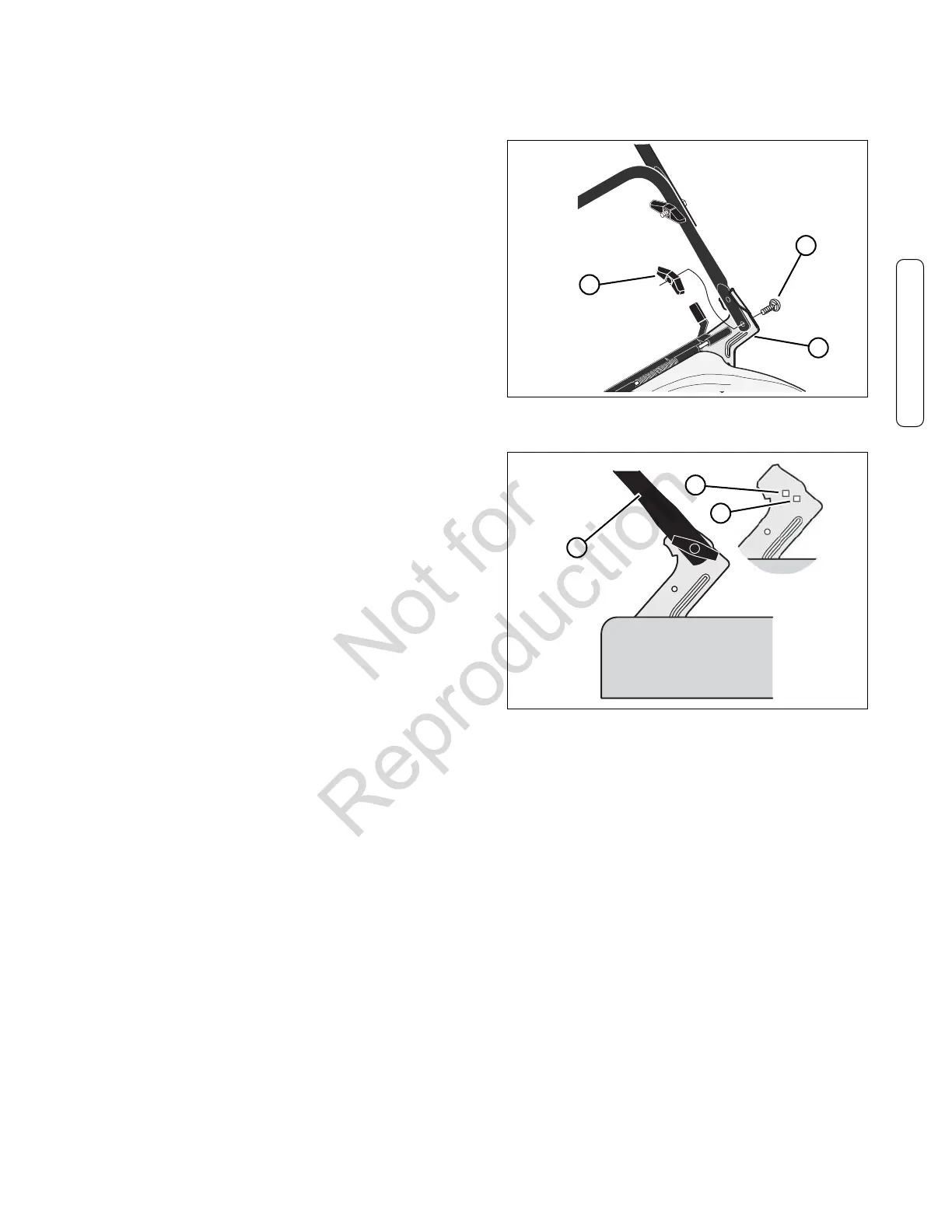
1. Remove the wingnuts (A, Figure 3) and bolts (B) from
the right and left handle brackets (C).
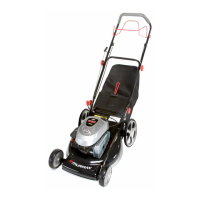
2. Mount the lower handle (A, Figure 4) in the low hole
(C).
Note: Do not mount the lower handle in the high hole
(B)
.
3. Attach the lower handle to the handle brackets with the
bolts and wingnuts removed in Step 1.
Preparation
B
Figure 3: Removing the handle adjustment hardware
C
A
C
Figure 4: Handle positions
A
B
Preparation (Continued)


 To Next Page