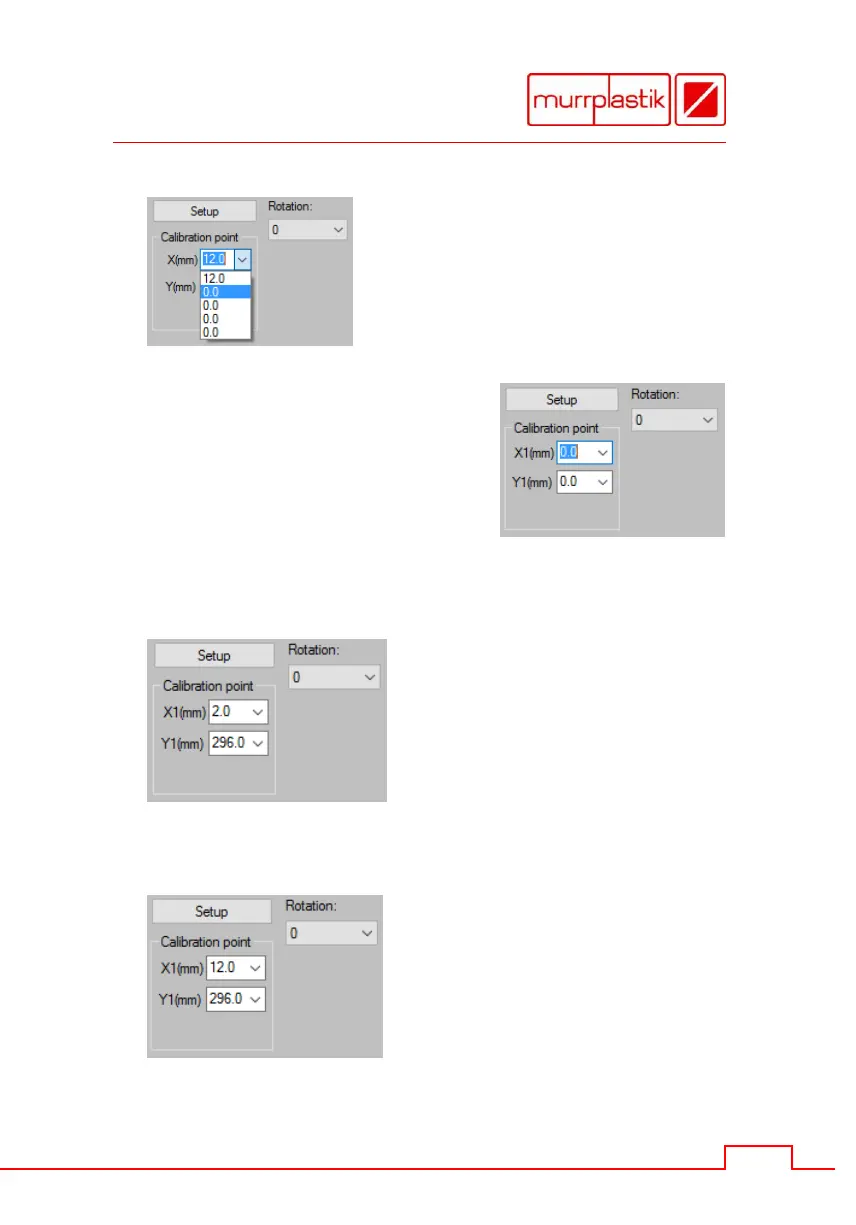
Open the 'Calibration Point'
drop-down menu and choose the
second entry from above '0.0'.
Thereby the coordinate names
changes from X / Y into X1 / Y1.
Please note
In comparison to Duomatt the
sheet labels calibration points
are referenced with X1 and Y1
always.
Enter the calibration point values.
By using base plate
GPU A4 these are:
X1 = 2.0
Y1 = 296.0
Please note
These values are default values
and can be vary slightly by device.
By using base plate
GPU A3 these are:
X1 = 12.0
Y1 = 296.0
Please note
These values are default values
and can be vary slightly by device.


 To Next Page