EasyManua.ls Logo

Muse 2 - User Manual

Muse 2
6 pages
Print Icon
To Next Page IconTo Next Page
Loading...
–›
QUICK START GUIDE
EN
Plug into your computer
or a USB charger.
–›
Make sure your
headband is fully
charged.
1 2
Ensure Bluetooth
is enabled on
your mobile device.
Once your Muse is turned on and
your Bluetooth is enabled, Muse
will pair directly with the Muse app.
There is no need to pair Muse in
your Bluetooth settings.
4
Create your
account.
Note: You can share your headband,
but not your account. Sign out before
letting a friend try Muse or use the
“do a demo” mode.
3
Download the
Muse App.
Search your app store for:
Muse: the brain sensing headband
Mind HeartBodyBreath
Brancher dans votre ordinateur
ou un chargeur USB
Assurez-vous que
votre bandeau est
complètement
chargé.
1 2
Assurez-vous que
Bluetooth est activé
sur votre appareil.
Une fois votre Muse allumé et votre
Bluetooth activé, votre Muse se
connectera directement à l’Appli Muse.
Il n’est pas nécessaire de vous connecter
en passant par les paramètres Bluetooth
de votre appareil.
–›
4
Créez un compte.
Remarque : Vous pouvez partager
votre bandeau, mais pas votre compte.
Fermez votre session avant de laisser
un ami essayer Muse ou utilisez
le mode « demo ».
3
Téléchargez l’Appli
Muse.
Cherchez « Muse: le bandeau de
détection cérébrale » sur l’app store
de votre appareil.
GUIDE DE
DÉMARRAGE RAPIDE
FR
Esprit Cœur Corps Soue
Conéctala a tu computadora
o a un cargador USB
–›
Asegúrate que tu
diadema esté bien
cargada.
1 2
Asegúrate que el
Bluetooth esté activado
en tu dispositivo móvil.
Una vez que hayas abierto Muse
y el Bluetooth esté activado, Muse
conectará directamente con la app
de Muse. No es necesario conectar
Muse en tus ajustes de Bluetooth.
4
Crea tu cuenta.
Nota: Puedes compartir tu
diadema, pero no tu cuenta.
Cierra tu perfil antes de dejar
que un amigo pruebe Muse
o usa el modo “demo.
3
Descárgate la app
de Muse.
Busca en tu app store:
Muse: la diadema con sensor
cerebral
MenteCorazón Cuerpo Respiración
GUÍA DE INICIO RÁPIDO
ES
Va inserito nel computer o in
un caricabatterie USB
–›
Assicurati che
l’archetto sia
completamente
carico.
1 2
Verifica che il Bluetooth
del dispositivo mobile
sia attivato.
Una volta acceso Muse e attivato
il Bluetooth, l’associazione tra Muse
e l’app Muse avviene direttamente,
senza bisogno di accedere alle
impostazioni Bluetooth.
4
Crea l’account.
Nota: è possibile condividere
l’archetto ma non l’account.
Prima di far provare Muse a un amico,
scollegati o usa la modalità
“Fai una dimostrazione.
3
Scarica l’app Muse.
Cerca nell’app store:
Muse: l’archetto con il sensore
cerebrale
GUIDA INTRODUTTIVA
IT
MenteCuoreCorpo Respiro
Anschluss an Ihren Computer
oder ein USB-Ladegerät
Stellen Sie
sicher, dass Ihr
Stirnband vollständig
geladen ist.
1 2
Stellen Sie sicher, dass
Bluetooth auf Ihrem
mobilen Gerät aktiviert ist.
Sobald Ihr Muse eingeschaltet ist und
Ihr Bluetooth aktiviert ist, wird Muse
direkt mit der Muse-App gekoppelt.
In den Bluetooth-Einstellungen muss
Muse nicht gekoppelt werden.
KURZANLEITUNG
DE
Gedanken Herz rper Atem
4
Erstellen Sie
Ihr Konto.
Hinweis: Sie können Ihr Stirnband,
aber nicht Ihr Konto teilen. Melden
Sie sich ab, bevor Sie einen
Freund Muse ausprobieren
lassen oder verwenden Sie
den “Demo-Modus”.
3
Laden Sie die
Muse-App herunter.
Suchen Sie in Ihrem App-Store nach:
Muse: Das Stirnband mit
Gehirnscanner
Question and Answer IconNeed help?

Do you have a question about the Muse 2 and is the answer not in the manual?

Summary

Muse 2 Quick Start Guide

Charge Headband

Ensure your Muse headband is fully charged before use.

Enable Bluetooth

Ensure Bluetooth is enabled on your mobile device for pairing.

Download Muse App

Search your app store for "Muse: the brain sensing headband" to download.

Create Account

Create your Muse account; note account sharing restrictions.

Connect Muse to App

Turn on headband and tap model number in the app to connect.

Start Session

Tap "Start Session" to begin the onboarding tutorial.

Wear Muse & Headphones

Fit headband correctly for good signal quality and snugness.

Calibrate, Meditate, Review

Follow in-app tutorial, relax, and review your session results.

Overview

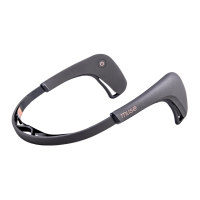
The Muse 2 is a brain-sensing headband designed to help users improve their meditation practice and overall well-being by providing real-time feedback on their brain activity, heart rate, breath, and body movements. This quick start guide outlines the steps to get started with the device, from charging and connecting to the app, to wearing it correctly and beginning a meditation session.

Function Description

The Muse 2 headband acts as a personal meditation assistant, translating your mental state into understandable audio cues. It uses advanced sensor technology to detect subtle changes in your brain's electrical activity (EEG), heart rate, breathing patterns, and body stillness. This data is then processed by the accompanying Muse app, which provides real-time feedback during your meditation sessions. The primary goal is to guide you towards a calmer and more focused state.

The headband offers four core meditation experiences:

  • Mind Meditation: Focuses on brain activity. When your mind is active, you might hear stormy weather sounds. As your mind calms, the sounds transition to peaceful weather, and you may even hear birds chirping as you achieve deeper states of focus. This feedback helps you learn to recognize and return to a calm mental state.
  • Heart Meditation: Monitors your heart rate variability (HRV). The app provides audio feedback that helps you synchronize your breath with your heart rate, encouraging a more relaxed physiological state.
  • Breath Meditation: Guides you through breathing exercises by tracking your breath patterns. The app provides real-time feedback on the consistency and depth of your breathing, helping you regulate it for relaxation.
  • Body Meditation: Measures your stillness and posture. If you shift or move, the audio feedback will gently prompt you to return to a more stable position, encouraging physical relaxation and grounding.

After each session, the Muse app provides a detailed summary of your performance, including graphs and scores, allowing you to track your progress over time. This data-driven approach helps you understand your meditation journey and identify areas for improvement. The device is designed to be a tool for both beginners learning to meditate and experienced practitioners looking to deepen their practice with objective feedback.

Usage Features

Getting started with your Muse 2 headband involves a few straightforward steps:

  1. Charging: Before your first use, ensure your Muse 2 headband is fully charged. Connect the headband to a computer or a USB charger using the provided cable. The charging indicator lights on the headband will show its charging status. A full charge ensures uninterrupted sessions.

  2. Bluetooth Connection: Enable Bluetooth on your mobile device (smartphone or tablet). Once the Muse headband is turned on and Bluetooth is active on your device, the Muse app will automatically detect and pair with the headband. There's no need to manually pair the Muse in your device's Bluetooth settings; the app handles the connection directly.

  3. App Download and Account Creation: Download the "Muse: the brain sensing headband" app from your device's app store (App Store for iOS or Google Play for Android). After installing, open the app and create your personal account. It's important to note that while you can share the physical headband with others, your account is personal. If a friend wants to try Muse, either sign out of your account or use the "do a demo" mode within the app to keep your personal data separate.

  4. Connecting to the App:

    • Turn on your headband by pressing the power button located on one of the ear sensors.
    • Within the Muse app, you will see a list of available devices. Tap on your Muse headband's model number, which is identified by the last four digits of its serial number. This establishes the connection between the headband and the app.
  5. Starting a Session: Once connected, tap "Start Session" in the app. The app will then guide you through an on-boarding tutorial, which is highly recommended for first-time users to understand how to use the device and interpret the feedback.

  6. Wearing the Headband: Proper fit is crucial for optimal signal quality.

    • Expand the headband to its largest size.
    • Place the rubber ear sensors behind your ears. Ensure there is no hair between the sensors and your skin, as hair can interfere with signal reception.
    • Once the ear sensors are in place, tighten the headband for a snug fit. The band should rest comfortably in the middle of your forehead, not too low (near your eyebrows) and not too high (near your hairline). A snug fit ensures consistent contact between the sensors and your skin.
    • For an immersive experience, it is recommended to wear headphones during your meditation session to clearly hear the audio feedback from the app.
  7. Calibrate, Meditate, and Review:

    • Follow the in-app tutorial for calibration. This step allows the Muse 2 to establish a baseline reading of your brain activity and other biometrics before the session begins.
    • Relax and enjoy your Muse session, allowing the real-time audio feedback to guide you.
    • After your session concludes, the app will provide a comprehensive review of your results, showing how well you maintained focus, stillness, and regulated your breath and heart rate. This feedback is invaluable for understanding your progress and refining your meditation technique.

The Muse 2 is designed for ease of use, making advanced biofeedback accessible to anyone interested in improving their mental well-being through meditation. Its intuitive app interface and clear audio guidance make the meditation journey engaging and effective.

Maintenance Features

Maintaining your Muse 2 headband is straightforward and ensures its longevity and optimal performance:

  • Cleaning: Regularly clean the sensors and the headband with a soft, dry cloth. If necessary, you can use a slightly damp cloth with water, but avoid harsh chemicals or abrasive cleaners, as these can damage the sensors or the material of the headband. Ensure the headband is completely dry before storing or using it again.
  • Storage: Store your Muse 2 headband in a safe, dry place away from extreme temperatures, direct sunlight, and moisture. Keeping it in its original case or a protective pouch can prevent dust accumulation and accidental damage.
  • Charging Practices: While the headband is designed for regular use, avoid leaving it plugged in for extended periods once fully charged. This can help preserve the battery's lifespan. If you plan not to use the device for a long time, it's advisable to charge it to about 50% before storing it.
  • Software Updates: Keep the Muse app updated to the latest version. Software updates often include performance improvements, bug fixes, and new features that enhance your experience and ensure compatibility with your headband. The app will usually notify you when an update is available.
  • Troubleshooting: If you encounter any issues with connectivity or performance, first ensure the headband is charged and Bluetooth is enabled on your device. Restarting both your mobile device and the Muse headband can often resolve minor glitches. For more persistent issues, consult the FAQ page on the choosemuse.com/faq website, which offers extensive troubleshooting guides and support resources.
  • Customer Support: The manufacturer emphasizes customer satisfaction. If you have any questions or require assistance beyond the FAQ, their customer care team is available to help. Contact information and support channels are typically found on their website.

By following these simple maintenance guidelines, you can ensure your Muse 2 headband remains in excellent working condition, providing consistent and accurate feedback for your meditation practice for years to come.

Muse 2 Specifications

General IconGeneral
TypeBrain Sensing Headband
ConnectivityBluetooth
CompatibilityiOS, Android
ChargingMicro USB
Wireless ConnectivityBluetooth 4.2
SensorsEEG, Accelerometer, Gyroscope, PPG
MaterialsPlastic
Battery Life5 hours