ENG-10
● This can be either an existing one or a new folder.
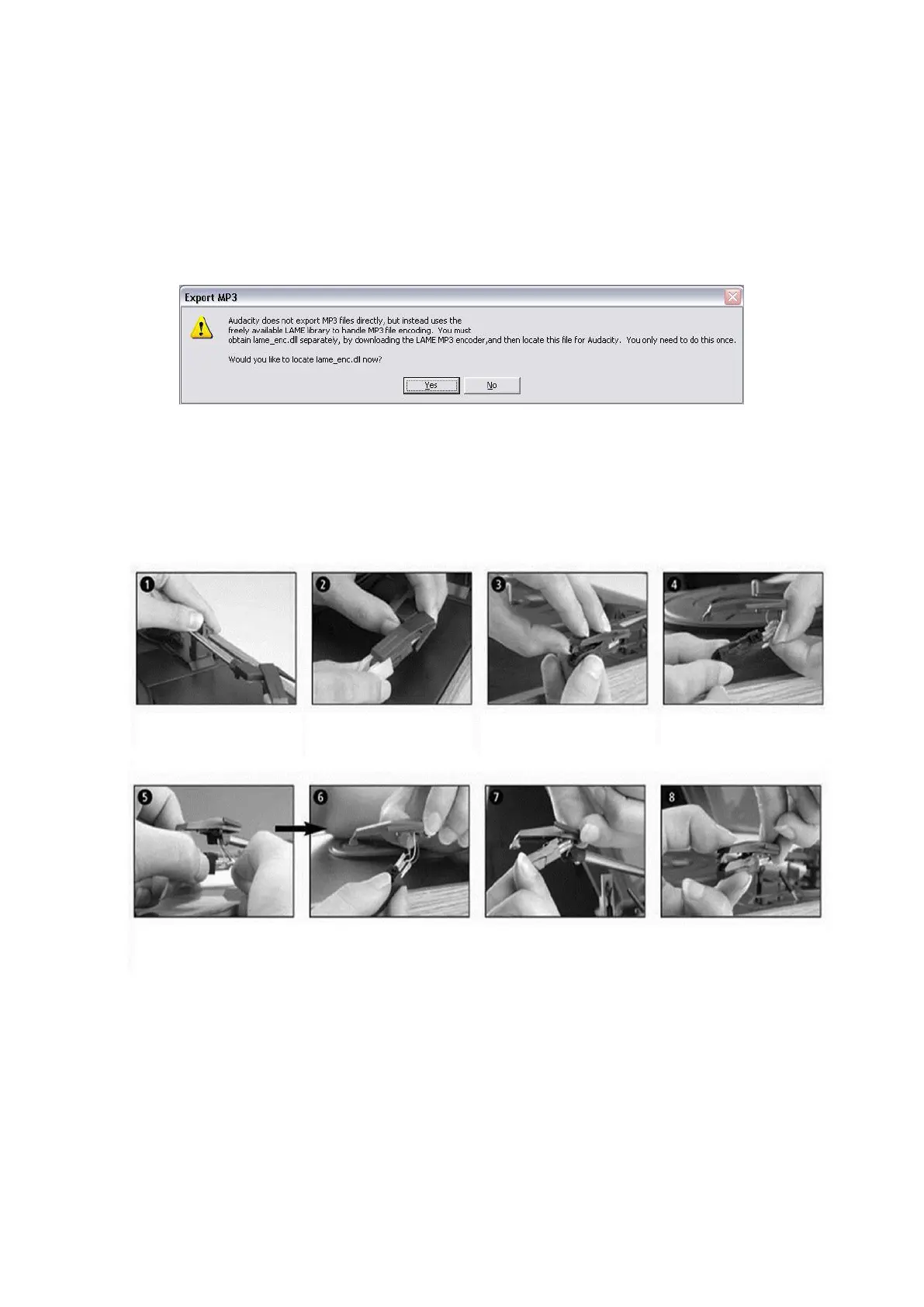
● NOTE: In order to activate the Export to Mp3 feature, it will be necessary to copy a file named
lame_enc.dll from the installation CD and paste it in the AUDACITY folder that contains the
software on the hard drive that was copied earlier from the CD. The software will automatically
detect this file and exporting as an mp3 will now be possible.
MAINTENANCE
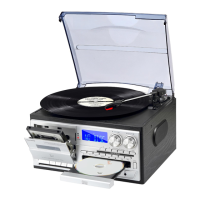
REPLACING THE STYLUS
- Refer to the figures 1-8
push the arm lock to release
the tone-arm.
take off cap of the cartridge
to expose the needle out.
separate the cartridge from the
socket lightly.
take off the audio-line from
the cartridges completely.
to fit a new one just in opposite deals, insert the audio-line accordingly, and install the cartridge to the socket lightly.
NOTE: Please exercise extreme care whilst performing this operation so as to avoid the tone arm and
audio line wires from any damage.


 To Next Page