ENG-8
Recording to computer using Audacity
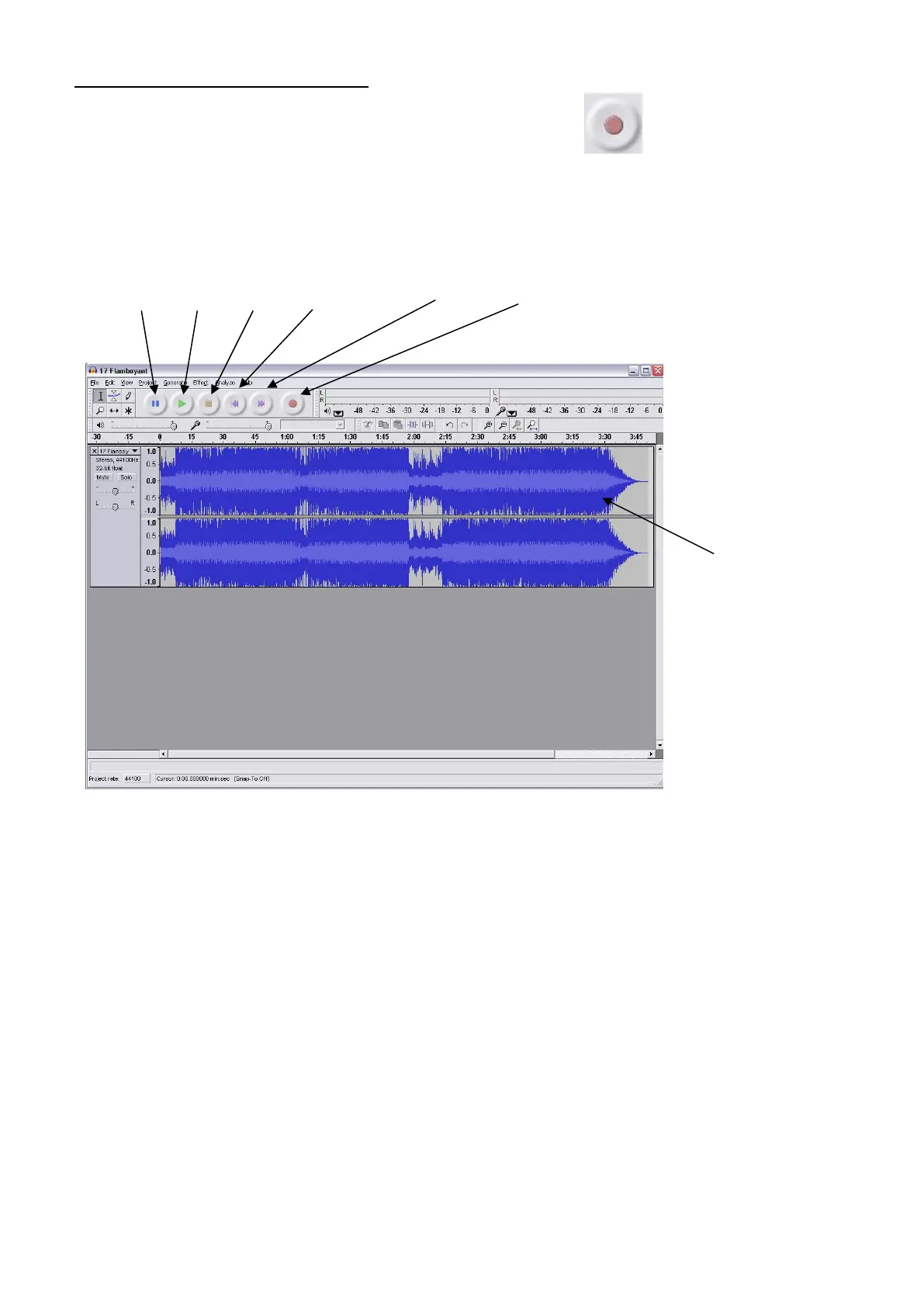
● Start the record playing as described above, and press Record at the top of the Audacity
window to start recording to the computer.
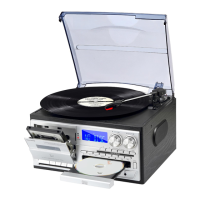
● Once recorded use the Transport controls at the top of the screen to, Go to start, Play, Record,
Pause, Stop and Go to end of Wave form as below:
● Use the file, Edit, View, Project, Generate, Effect and Analyse menus to Save, Export and
Manipulate your music.
● If the recording level requires adjustment, click on ‘START’, ‘SETTINGS’ and select control panel.
Under Control Panel select ‘SOUNDS and AUDIO DEVICES’, click on the ‘VOLUME’ tab and select
‘ADVANCED’.
● On the Master volume window select options at the top left hand corner, click on properties in the
drop down menu.
● In the Properties window select “USB PnP Audio Device” from the drop down menu at the top.
Click on “OK” to confirm the selection and a window will now appear with a control for the


 To Next Page