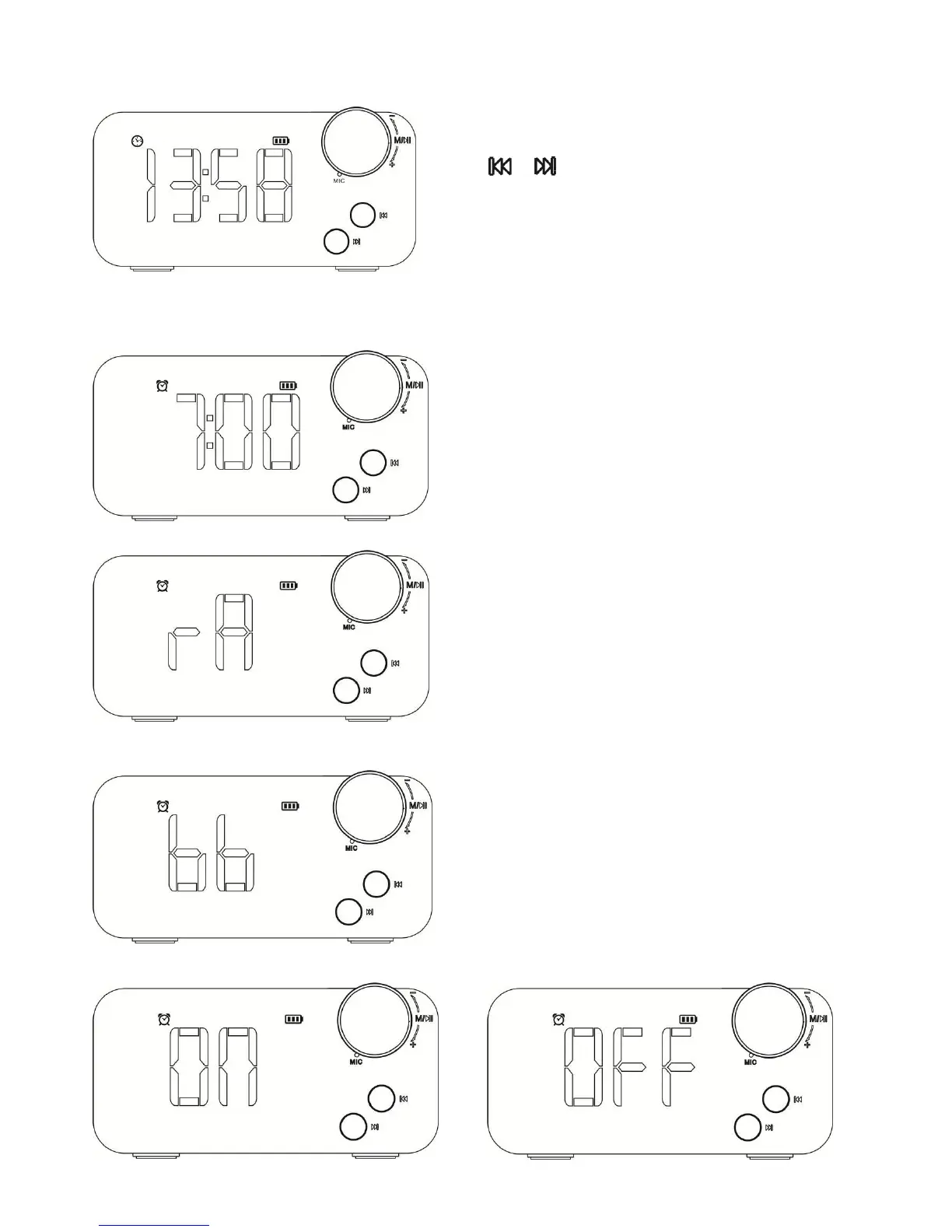
【CLOCK MODE】
Rotate “KNOB” to select Clock ICON and press “KNOB” to enter Clock
mode.
Press “ ”or “ ” key to show time format from 12 to 24 hour or 24 to
12 hour
Press “KNOB” key to enter the setting of Clock mode. Press “KNOB”
key to select the flashing digits in sequence
year/month/date/hour/minute and Rotate “KNOB” to adjust the digits
(year/month/date/hour/minute).Press “KNOB” key to confirm the
setting.
【ALARM MODE】
Rotate “KNOB” to select ALARM ICON and press “KNOB” to enter
ALARM mode.
Press “KNOB” key to enter the setting of Alarm mode.
Press “KNOB” key to select the flashing digits in sequence hour/minute
and Rotate “KNOB” to adjust the digits (hour/minute).
Press “KNOB” key to confirm the setting and enter the setting of Alarm
sound.
Rotate “KNOB” key to select alarm sound in sequence bb , rA .
(bb stands for “Bird sound “ / “MP3 file inside TF card” ,rA stands for
“FM Radio station ” )
* If use MP3 file inside TF card for alarm sound , the user make
directory as Alarm and store one MP3 file inside the alarm directory.
Then insert TF card the speaker
Press “KNOB” key to confirm the setting and enter the setting of alarm
alert status.
Rotate “KNOB” key to set alarm alert status in sequence OFF/ON.
Rotate “KNOB” key to confirm the setting and enter the setting of alarm
sound volume.
Rotate “KNOB” key to adjust alarm sound volume.
Press “KNOB” key to confirm all the setting.
When the alarm alert, touch “Speaker mesh” to turn on snooze function
(After 5mins, the alarm will alert again.).
Press and hold “KNOB” key to return CLOCK mode.


 To Next Page