
 Need help?
Do you have a question about the Must PV18 MPPT 3 KW and is the answer not in the manual?
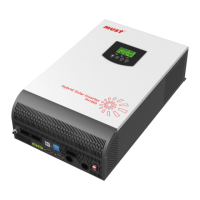
Describes assembly, installation, operation, and troubleshooting of the unit.
Provides safety and installation guidelines, and information on tools and wiring.
Lists the key capabilities of the multi-function inverter/charger.
Illustrates the hybrid power system setup with inverter, PV, utility, and battery.
Instructions for checking the unit and its package contents upon arrival.
Steps to take before connecting any wiring, including removing the bottom cover.
Guidelines for selecting a suitable installation location and mounting the inverter.
Details on how to properly connect the battery to the inverter.
Guidelines for selecting appropriate PV modules based on inverter specifications.
Details on how the inverter manages solar charging for different modes.
Instructions for connecting the inverter to a PC for monitoring software.
Information on the dry contact port for external device signaling at warning levels.
Procedure for turning the unit on and off using the On/Off switch.
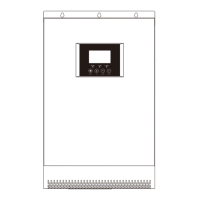
Overview of the inverter's front panel, including indicators, keys, and LCD.
Explanation of the different LED indicators and their meanings.
Description of the purpose of each function key on the control panel.
Icons and descriptions for AC/DC input, output voltage, frequency, and load.
Icons indicating setting programs, warning codes, and fault codes.
Icons and descriptions for battery level and charging status.
Icons indicating load percentage and overload status.
Icons representing connection to mains, PV panel, utility power, and solar charger status.
Icon indicating when the unit's alarm is disabled.


 To Next Page
 General