8
English
TROUBLESHOOTING AND/OR FREQUENTLY ASKED
QUESTIONS
1. What should I do if the earphones do not connect to
the phone via Bluetooth?
• Check that the earphones are turned on.
• Check that the phone’s Bluetooth is not connected
to another device, turn the phone’s Bluetooth o
and on.
Note: due to possible updates of the application,
the installation process of the product may undergo
changes. Please follow the instructions in the App itself
for a correct installation.
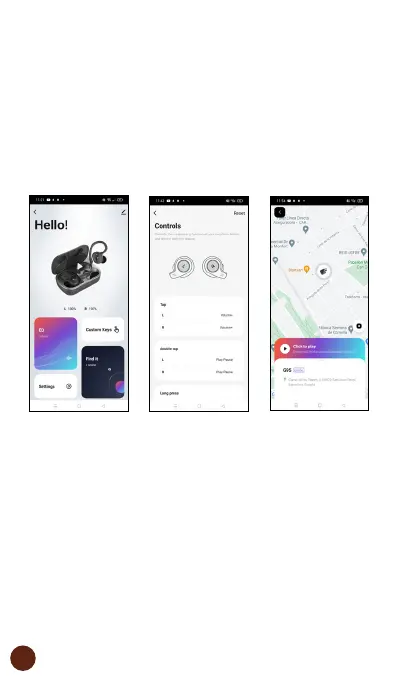
4. Device control
After successfully configuring the device, it will be
displayed on the “Devices” page. Click on the device icon
to use the dierent earphone functions such as selecting
the equalizer, customizing the earphone buttons, editing
the earphone name or earphone location.
*Due to the earphone location/search function, whenever the
headset is connected to the phone, the phone must have the
location enabled. This function will show the last location, obtained
by the phone, where the headset was connected to the phone for
the last time.


 To Next Page
 Loading...