7
English
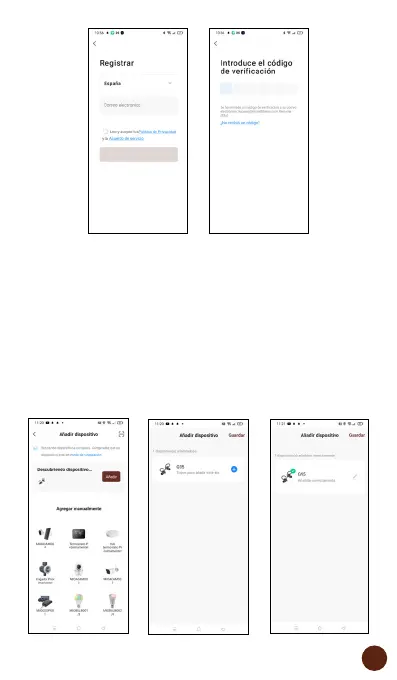
3. Add device
Bluetooth connection (recommended):
Activate Bluetooth and Location on the phone. Once
the application is open, press “+” or “Add device”, if the
earphones are flashing, a screen will appear informing
you that a new device has been detected. Select “Add”,
press “+” and after a few seconds press “Save” to finish.


 To Next Page