

EasyManua.ls Logo

MUZEN MW-H1I - User Manual

MUZEN MW-H1I
7 pages
Print Icon
To Next Page IconTo Next Page
Loading...
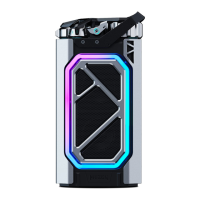
MUZEN Cyber Shell Portable Bluetooth Speaker
Product Manual
Welcome to the Muzen Family! Thanks for choosing us to accompany you on your
life adventure. Please read this manual carefully and make sure to follow the
relevant safety instructions before using it.
Tips:
This product is battery-poweredand you could use Type-C cable to charge it. For a
better experience, please charge it for about two hours with it powered off before
first-time use.
MUZEN Audio launches Cyber Shell, a high-performance trendy portable bluetooth speaker,
based on the aesthetics of the new generation and the concept of humanistic technology.
The
MUZEN Cyber Shell Bluetooth speaker with lighting effects adheres to the company’s design
philosophy of "Aesthetically pleasing, Great sound, User-friendly and Entertaining". It is our
eternal
pursuit to make you enjoy the music and sound contents easier and better. Welcome to
explore your Cyber
Shell with impressive sound and visual experience.
Packing list
1
Speaker * 1
2
Product manual * 1
3
Type C charging cable *1
4
AUX audio cable * 1
Speaker Operating Instructions
1 Power switch
Power on/off: Long press the power switch for 3s
Long press the power switch for more than 8s for factory reset
2 Mode indicator light
Question and Answer IconNeed help?

Do you have a question about the MUZEN MW-H1I and is the answer not in the manual?

Summary

Product Introduction and Package Contents

Welcome and Safety Overview

Introduction to the speaker and emphasis on reading safety instructions before use.

Initial Use and Charging Advice

Tips for optimal performance, including charging the battery before first use.

Included Items in the Box

Details the components provided with the speaker, such as cables and manuals.

Operating the MUZEN Cyber Shell Speaker

Power and Indicator Functions

Instructions for powering on/off, factory reset, and understanding the mode indicator light.

Mode Selection with Control Knob

How to switch between Bluetooth, TWS, and AUX modes using the knob.

Bluetooth Connection Modes

Detailed explanation of standard, low latency, and TWS Bluetooth pairing.

Connecting via AUX Cable

Procedure for connecting external audio sources using the AUX input.

Volume Control Operation

Guidance on adjusting the audio volume by rotating the knob.

Sound Effect EQ Modes

How to select different sound profiles like Normal, Rock, and Rap.

Ring Light and Battery Status

Controlling lighting effects and checking battery level via the ring light.

Track Management and Effects Control

Methods for skipping tracks and cycling through light effects.

Speaker Components and Protection

Information on the loudspeaker and the passive radiator protection cover.

Charging and AUX Port Description

Location and function of the Type-C charging and AUX input port.

Product Design and Specifications

Design Aesthetics and Structure

Explains the futuristic mechanical design and aesthetic inspiration.

Cyber RGB Lighting System

Details the multi-color RGB lighting design and its visual effects.

Key Operation and Controls

Description of the mechanically-driven knobs and track control keys.

Connection Options Overview

Summary of Bluetooth and AUX cable connectivity, including TWS.

Detailed Technical Specifications

Provides data on model, size, weight, Bluetooth, power, and battery capacity.

Safety, Maintenance, and Compliance

Critical Safety Instructions

Essential guidelines for safe operation, handling, and preventing damage.

Usage Environment and Precautions

Recommendations for dry environments and avoiding heat or fire sources.

Battery Safety and Disposal

Cautions on battery handling, risks of explosion, and proper disposal methods.

Warranty and Manufacturer Information

Details limited warranty, contact info, and manufacturer address.

Regulatory Statements

Information regarding FCC and Industry Canada compliance for radio frequency devices.
MUZEN MW-H1I Specifications

General IconGeneral
BrandMUZEN
ModelMW-H1I
CategorySpeakers
LanguageEnglish

Related product manuals