Troubleshooting
• My Phase Receiver doesn’t turn on
• My Remote doesn’t turn on (the Remote LED won’t light up)
• My Remote doesn’t charge
• I can’t pair my Remotes with my Receiver
• The Remote calibration never stops
• When I take my Remotes out, they automatically unlink themselves from the Receiver (white LED)
• My Remote automatically turns o when I take it out from its Receiver dock
• My Remotes don’t communicate with my Receiver
• I have issues connecting Phase to my DJ controller
• I have issues connecting Phase to my external DVS interface
• I have issues connecting Phase to my integrated DVS mixer
• I have issues conguring Phase with Serato
• I have issues conguring Phase with Traktor
• I have issues conguring Phase with Rekordbox
• I have sound issues
• I have latency issues
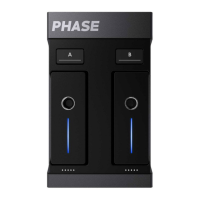
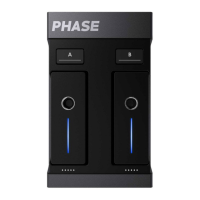
My Phase Receiver doesn’t turn on
Plug your Phase Receiver to a power source (computer or power outlet) using the USB cable provided in the
box.
If the Receiver doesn’t turn on (lightning icon on the back of the product is not lit), check the following
points:
- Check for any loose wire connection between the USB cable, the Receiver, and the power source.
- Check if your USB cable is defective by connecting Phase using a dierent USB cable.
- Check that the Receiver is plugged to a 5 volts electrical supply.
Be careful, some USB hubs or USB ports may not be powerful enough to allow Phase to work properly.
My Remote doesn’t turn on (the Remote LED won’t light up)
If your Remote doesn’t turn on (its LED is not lit) when being put in its Receiver dock, check the following
points:
- Check that the Receiver is plugged into a 5-volt electrical supply.
- Complete a full charge of your Remote (this can take up to 2 hours).
- Put your Remote in the other Receiver dock.
- Take out and then put the Remote back on its dock to make sure there are no loose connections between
the Remote and the Receiver pin connectors.
- Clean up the pins under your Remote and on the Receiver dock to avoid any loose connection.
- Check that the pin connectors are not blocked.
My Remote doesn’t charge
If your Remote doesn’t charge when being placed on its dock on a plugged Receiver, check the following
points:
- Check that the Receiver is plugged to a 5-volt electrical supply.
- Complete a full charge of your Remote (this can take up to 2 hours).
- Put your Remote in the other Receiver dock.


 To Next Page
 Loading...