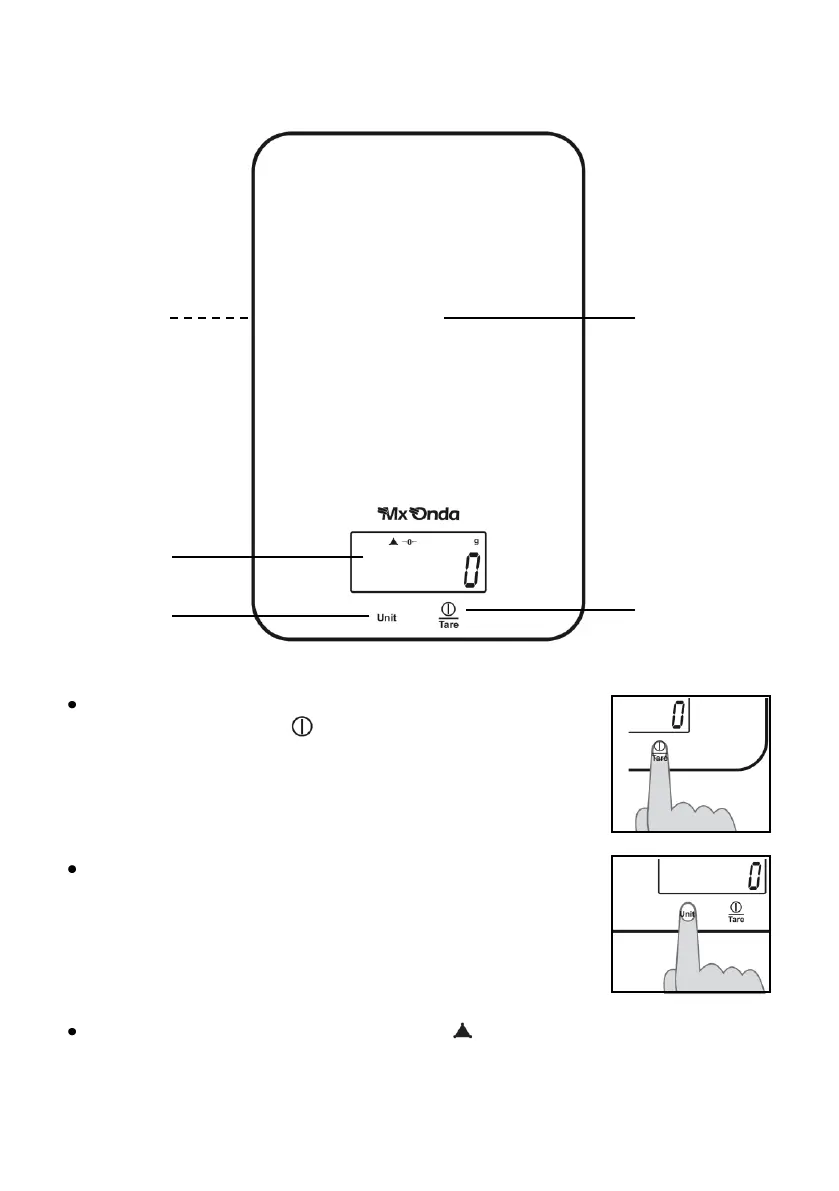
CONTROLS AND FUNCTIONS
HOW TO USE
To turn on the scale, touch with the fingertip area on /
off and tare function /Tare, the screen will perform a
check and when it displays the digit "
0
" indicates that it
is ready to weigh.
If there is to switch the scale placed a container or an
object, this will not be considered (heavy).
With the finger, touch area selector unit weight Unit
choose the unit of measurement, you can choose
between kilograms, grams, pounds or ounces. The
display shows the symbol of the selected unit of
weight, Kg (kilograms), g (grams), lb (pounds) and oz
(ounces) appear.
When the display shows the symbol will indicate that the scale is
stabilized and ready for measurement, place it on the area for weighing the
product to be weighed and the weight display.



 To Next Page