EN | How to Use
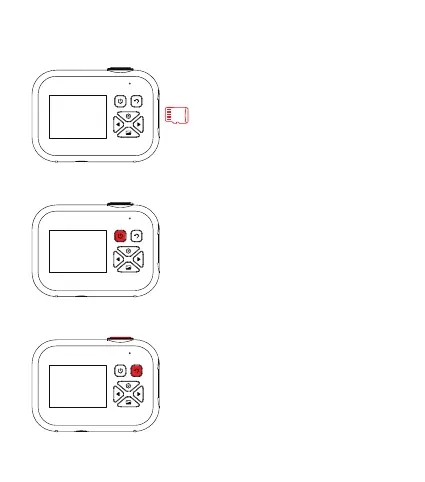
Insert Memory Card
Please insert the memory card into
the slot in the correct direction as
shown.
Turn On/O
Press and hold the Power button
for 3 seconds to turn the camera
on or o.
Picture Mode and Video Mode
Press and hold the Shutter button
for 3 seconds to switch to Video
Mode.
In Video Mode, tap on the Return
button to return to Picture Mode.
1


 To Next Page