Take Photo and Record Video
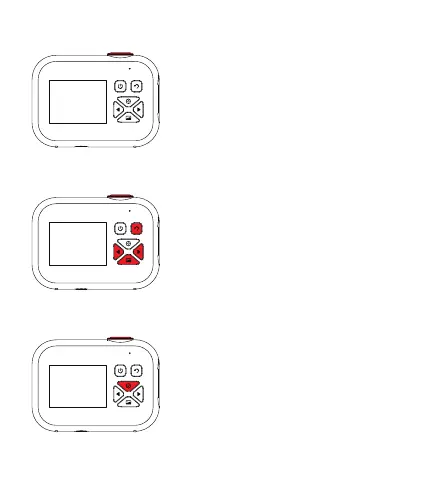
Tap the Shutter button to take a
photo. Tap the Shutter button in
Video Mode to start recording.
Gallery
To browse your photos and videos,
press the Down button to enter the
Gallery. Press the Left or Right
button to browse files. Press the
Shutter button to play videos.
In Gallery, press the Return button
to Return to Picture Mode.
Delete Files
In Gallery, press the Up button for
deletion menu. Press the Shutter
button to confirm your selection or
to cancel.
2


 To Next Page