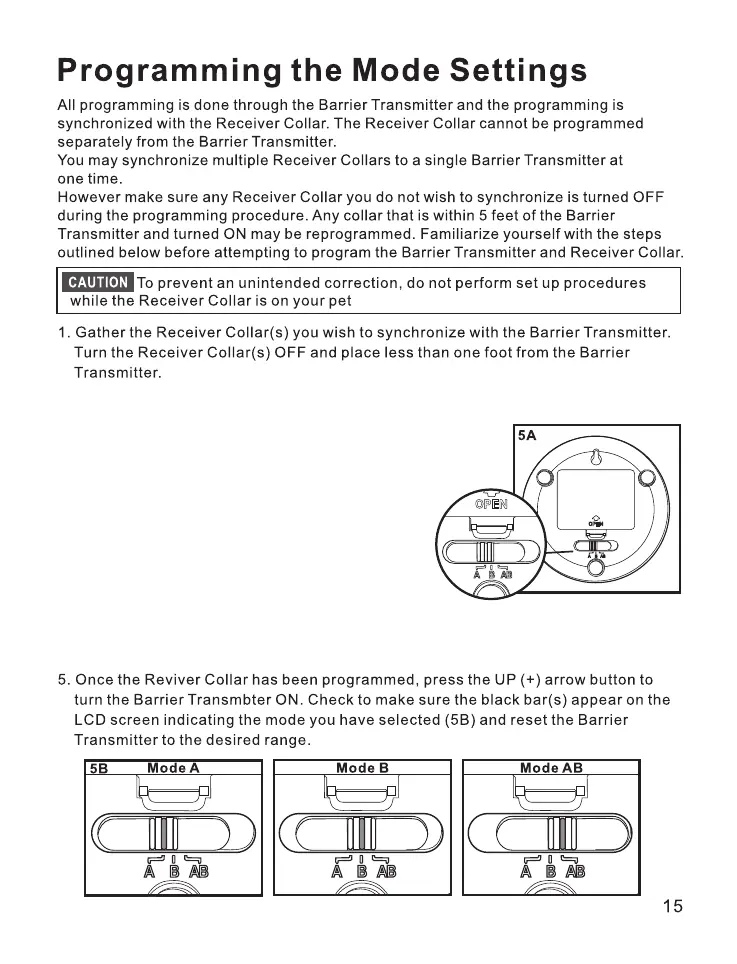
2.Turn the Barrier Transmitter ON by pressing the UP (+) button until there is a dog
and bar(s) displayed in the LCD window.
3.Push the switch to A, there is dog A and bar(s) displayed in
the LCD window then start the receiver collar,
it automatically enters into code matching mode
in 15 seconds, If the receiver collar beeps, it
means code match succeeds.
4.Push switch to B and use the above-mentioned
method to match B receiver.



 To Next Page