Search for mydlink and download the app.
Note: This product is incompatible with other mydlink apps
such as ‘mydlink Home,’ ‘mydlink Lite,’ etc.
Download the App
1
mydlink
Sign In or Sign Up for a mydlink account.
mydlink Lite users may sign in with the same
account.
Log In
2
Tap the menu button then tap Add a
Device. Scan the Setup Code on the device
or on the Setup Code page of this Quick
Installation Guide, then follow the app
instructions.
Add the Device
3
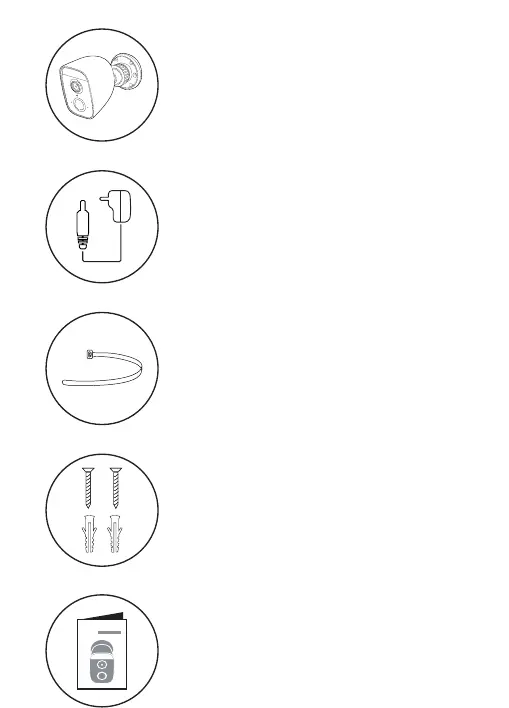
Power Adapter
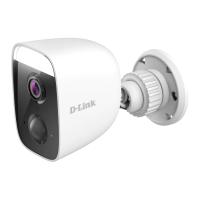
Full HD Outdoor Wi-Fi Spotlight
Camera
Quick Installation Guide
i
Device Information
LED Behavior
Connected to Wi-Fi and mydlink
Status LED
Booting up
Ready for setup
Firmware being upgraded - do not power off
2 x Screws
2 x Wall Anchors
2 x Plastic Mounting Ties
6.5 ft.
(2 m)
min
23 ft.
(7 m)
max
Place the camera 6.5 to 8 feet (2 - 2.5 meters) from the
ground. Person Detection works best when the subject is
between 6.5 to 23 feet (2 - 7 meters) away from the camera.
Placement
This is a backup of your device Setup Code. Please keep it as
future reference for your device.
Setup Code
Setup Code
S/N:QXXXXYMXXXXXX
mydlink No.:XXXXXXXX
PIN Code:XXXXXX
Pairing with a mydlink Smart DIY device


 To Next Page
 Loading...