EasyManua.ls Logo

Myenergi ZAPPI-2H07UW - User Manual

Myenergi ZAPPI-2H07UW
37 pages
Print Icon
To Next Page IconTo Next Page
Loading...
Rev 2.1.5 June 2022ENGLISH
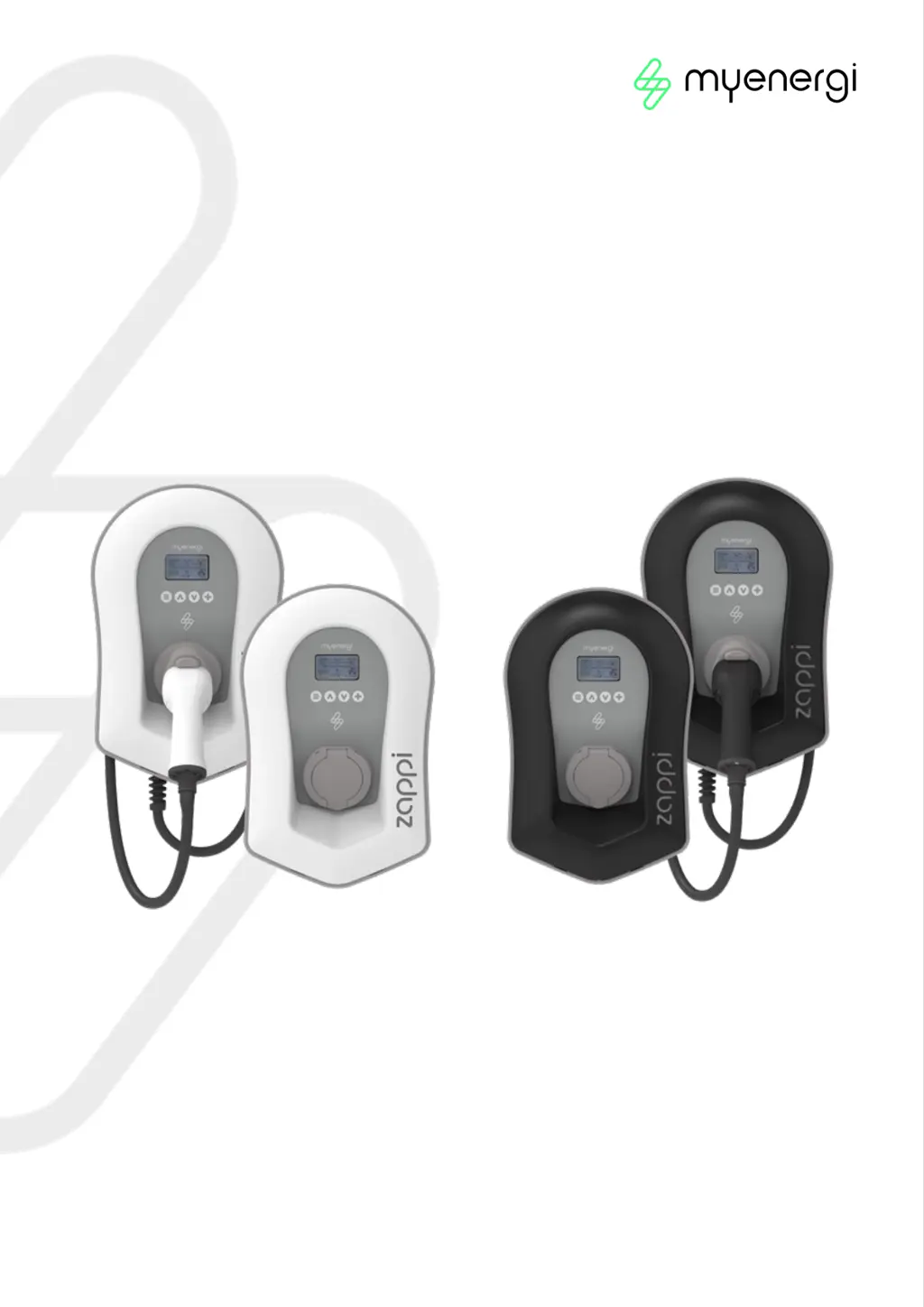
zappi
eco-smart EV charge point
Operation & Installation
Manual
MODELS:
ZAPPI
-2H07UW
ZAPPI-2H07UB
ZAPPI-2H07TW
ZAPPI-2H07TB
ZAPPI
-2H22UW
ZAPPI-2H22TW
ZAPPI-2H22UB
ZAPPI-2H22TB

Other manuals for Myenergi ZAPPI-2H07UW

Questions and Answers

  • R
    Rebecca LawrenceSep 23, 2025
    How to fix Generation power always 0kW on Myenergi Automobile Battery Charger?
    • L
      Laura CrawfordSep 23, 2025
      If the generation power is always reading 0kW on your Myenergi Automobile Battery Charger, it means the generation CT is not installed. Install the generation sensor and connect it to one of the CT inputs.
  • M
    Michelle GrahamAug 23, 2025
    What to do if Myenergi ZAPPI-2H07UW Automobile Battery Charger shows RCD Tripped fault code 29?
    • E
      Eugene MccoyAug 23, 2025
      If your Myenergi Automobile Battery Charger shows the error RCD Tripped ! Fault code 29, this indicates that the internal Earth leakage protection has tripped. To solve this, unplug the EV, make sure that the fault has been removed, then press and hold the button to reset the unit.
  • D
    Danielle HarrisAug 25, 2025
    What to do if Myenergi ZAPPI-2H07UW shows Contactor Fault code 28?
    • J
      Jeremiah AndersonAug 26, 2025
      If your Myenergi Automobile Battery Charger displays a Contactor Fault (Fault code 28), this means that the relay inside the zappi has a welded contact. The secondary relay is open to ensure that the supply to the EV is isolated. To fix this, unplug the EV, and then press and hold the button to reset the unit.
  • D
    danielrochaAug 27, 2025
    What to do if Myenergi ZAPPI-2H07UW Automobile Battery Charger shows Output Fault code 24?
    • C
      Christy MurrayAug 27, 2025
      If your Myenergi Automobile Battery Charger displays an Output Fault (Fault code 24), this indicates that the zappi has detected a wrong output voltage (e.g., a voltage has been detected when it should be off). To resolve this, unplug the EV, and then press and hold the button to reset the unit.
  • C
    Colleen Nelson MDAug 27, 2025
    What to do if Myenergi Automobile Battery Charger shows SelfTest Failed code 27?
    • D
      Diane WellsAug 27, 2025
      If your Myenergi Automobile Battery Charger displays SelfTest Failed ! Fault code 27, it means that the built-in protection devices couldn’t be tested or failed the test prior to a charge. To solve this, unplug the EV, and then press and hold the button to reset the unit.
  • A
    Angela HansenSep 18, 2025
    What to do if Myenergi ZAPPI-2H07UW Automobile Battery Charger in ECO+ mode shows 'Waiting for Surplus'?
    • G
      gabriellejohnsonSep 18, 2025
      If your Myenergi Automobile Battery Charger is in ECO+ mode, the Export Margin charge does not start, and the display shows 'Waiting for Surplus', even when the export power is correctly displayed, check the Export Margin setting. The default setting is 0W.
  • T
    Tabitha PowellSep 15, 2025
    Why is my Myenergi ZAPPI-2H07UW display blank?
    • D
      Danielle MurilloSep 15, 2025
      If the display of your Myenergi Automobile Battery Charger is blank, it indicates that the unit is not receiving power. Check to ensure the correct supply voltage is present at the supply screw terminals (220 - 260V AC).
  • T
    Tim WalkerSep 16, 2025
    What to do if Myenergi ZAPPI-2H07UW Automobile Battery Charger in ECO+ mode shows 'No signal from harvi'?
    • A
      Amanda HowellSep 16, 2025
      If your Myenergi Automobile Battery Charger is in ECO+ mode and the display continuously shows 'No signal from harvi', it suggests a faulty grid sensor. Verify that the Grid CT sensor is installed on the correct cable.
  • B
    brandon56Sep 6, 2025
    Why is the generation power always 0kW on my Myenergi ZAPPI-2H07UW?
    • J
      Joseph WhiteSep 6, 2025
      If the generation power is always 0kW on your Myenergi Automobile Battery Charger, it could be due to the following reasons: * The Generation CT is not installed: Install the generation sensor and connect it to one of the CT inputs. * Alternatively, if there is no Generation CT, the Generation and House consumption figures can be hidden on the main screen by changing the Icons setting in the Settings / Display & Sound menu.
  • A
    angelahopkinsSep 3, 2025
    What to do if Myenergi Automobile Battery Charger shows Unknown Cable error?
    • V
      victoria13Sep 4, 2025
      If your Myenergi Automobile Battery Charger displays an "Unknown Cable !" error, it means that the zappi has detected an unknown EV cable (untethered units only). Make sure you are using genuine IEC 62196-2 compliant plugs. The range supported is 32A, 20A, and 13A. The zappi will automatically retest the cable after 5 seconds. If the issue persists, unplug the cable, check for dirt in the plug, and try again.

Summary

Electric Vehicle Regulations and Zappi Compliance

1.1 Purpose of the Regulations

Explains the rationale behind the UK's Electric Vehicles (Smart Charge Points) Regulations 2021.

1.2 Whats Changed with Zappi

Details new features in zappi to meet UK Smart Charging Regulations.

1.3 Randomised Delay: How it Works

Explains how the randomised delay feature works for EV charging.

1.4 Smart Scheduling: How it Works

Describes the zappi's smart scheduling for off-peak charging to manage grid load.

1.5 Defaulting to ‘ECO+ Mode

Details how zappi defaults to ECO+ mode when Smart Regulations apply.

1.6 Charging Logs

Guides on how to view historical charging data for up to 13 months.

1.7 Installer Requirements

Outlines installer obligations to ensure compliance with EV charging regulations.

Zappi Safety Information

Zappi Disposal Guidelines

Zappi Product Overview

5.1 Overview Diagram

Visual representation of the zappi integrated into an energy management system.

Zappi Package Contents

Zappi Connectivity Options

7.1 Wireless Connection

Details the 868MHz/915MHz wireless link and factors affecting its performance.

7.2 Ethernet or WiFi Connections

Explains how to connect zappi to the local network via Ethernet or WiFi.

Zappi Installation Guide

8.1 Mounting

Instructions for physically mounting the zappi unit on a wall or surface.

8.2 Wiring

Step-by-step guide for connecting the zappi to the electrical supply and EV.

8.3 CT Sensor Installation

How to install and connect Current Transformer (CT) sensors for power monitoring.

8.4 Fitting the Cover

Instructions on how to correctly attach the zappi's front cover and fascia.

8.5 Advanced Installation Options

Covers load balancing, current limiting, and three-phase system considerations.

Zappi Setup and Testing

9.1 Switching On

Guide for switching on the zappi and completing the initial setup wizard.

9.2 Testing

Checks to perform before leaving the installation site to ensure functionality.

Zappi Troubleshooting Common Issues

Zappi Fault Code Reference

Zappi Warranty Information

Zappi Product Registration

Zappi Technical Specifications

14.1 Performance

Details on charging modes, current, connector type, and compliance standards.

14.2 Electrical Specifications

Information on rated power, voltage, frequency, current, and protection features.

14.3 Mechanical Specifications

Dimensions, protection degree, material, operating temperature, and weight.

14.4 Connectivity

Details on WiFi and radio frequency capabilities.

14.5 Max Transmitted Power

Specifies the maximum power transmitted for radio and WiFi modules.

Zappi Model Variants

Zappi Technical Support

Zappi Declaration of Conformity

Myenergi ZAPPI-2H07UW Specifications

General IconGeneral
BrandMyenergi
ModelZAPPI-2H07UW
CategoryAutomobile Battery Charger
LanguageEnglish

Related product manuals