Need help?
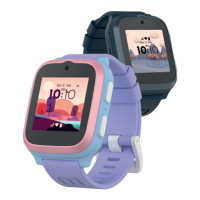
Do you have a question about the myFirst Fone R2 and is the answer not in the manual?
Download the 'myFirst Circle' app from the App Store or Google Play for easy access to services and features.
Log in using Google, Facebook, or Apple ID, or register a new account with your phone number.
Enter the One-Time Password (OTP) sent to your phone to verify your registration.
Add a child account by selecting 'Add a Child Account', setting credentials, and entering profile information.
Press and hold the power button for 3 seconds to start the device and initiate network search.
Scan the QR code displayed on the smartwatch to link it with your child's account.
Enter OTP for the Fone and learn about eSIM subscription for network services.
Navigate to Subscriptions to add a plan, select region, and make payment for the eSIM service.
 General
| Connectivity | 4G LTE, Wi-Fi, Bluetooth |
|---|---|
| Water Resistance | IP67 |
| GPS | Yes |
| SOS Button | Yes |
| Voice Calling | Yes |
| Messaging | Yes |
| Resolution | 240 x 240 pixels |
| RAM | 512 MB |
| Storage | 4 GB |
| Sensors | Accelerometer |
| Display | 1.4 inch TFT |
| Operating System | Custom OS |
| Compatibility | Android and iOS |
| Weight | 50g |

 To Next Page