2
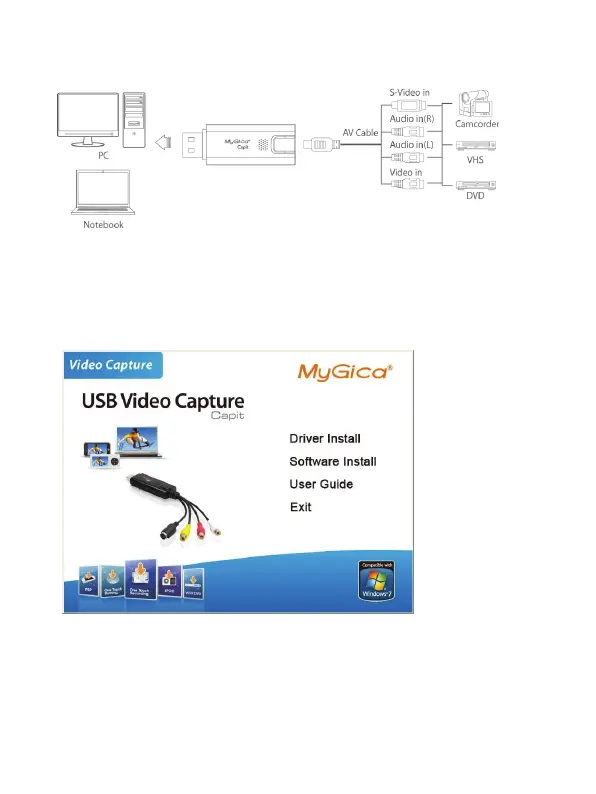
1.5 CapIt Connection
2. Driver and Application Installation
Step1:OS will remind a new hardware-- “New Hardware Device” was found. Please choose
“Cancel”,
Step2: When CD is inserted, OS will guide you to the setup automatically. Click “Driver Install”
or run Drive\Setup.exe,
Step4:Click “Install” to continue installation driver
Step5: OS will promote to install devices,Click “Continue Anyway”(Only Windows XP)
Step6: Click “Finish” to completely install the Driver Software
Step7:Click “Software Install” or run “ShowBiz\Setup.exe” to install application


 To Next Page