- 4 -
3. CHARGING
A fully charged ZeTrack+ has a battery life of 5 days. Please note that
battery life depends on usage and the features you enable.
Ensure that you use a standard charger with a rated output voltage
of 5V and a rated output current of 0.5 A or higher, or connect the
device to a laptop’s USB port to charge it.
i
I CHARGING YOUR ZETRACK+
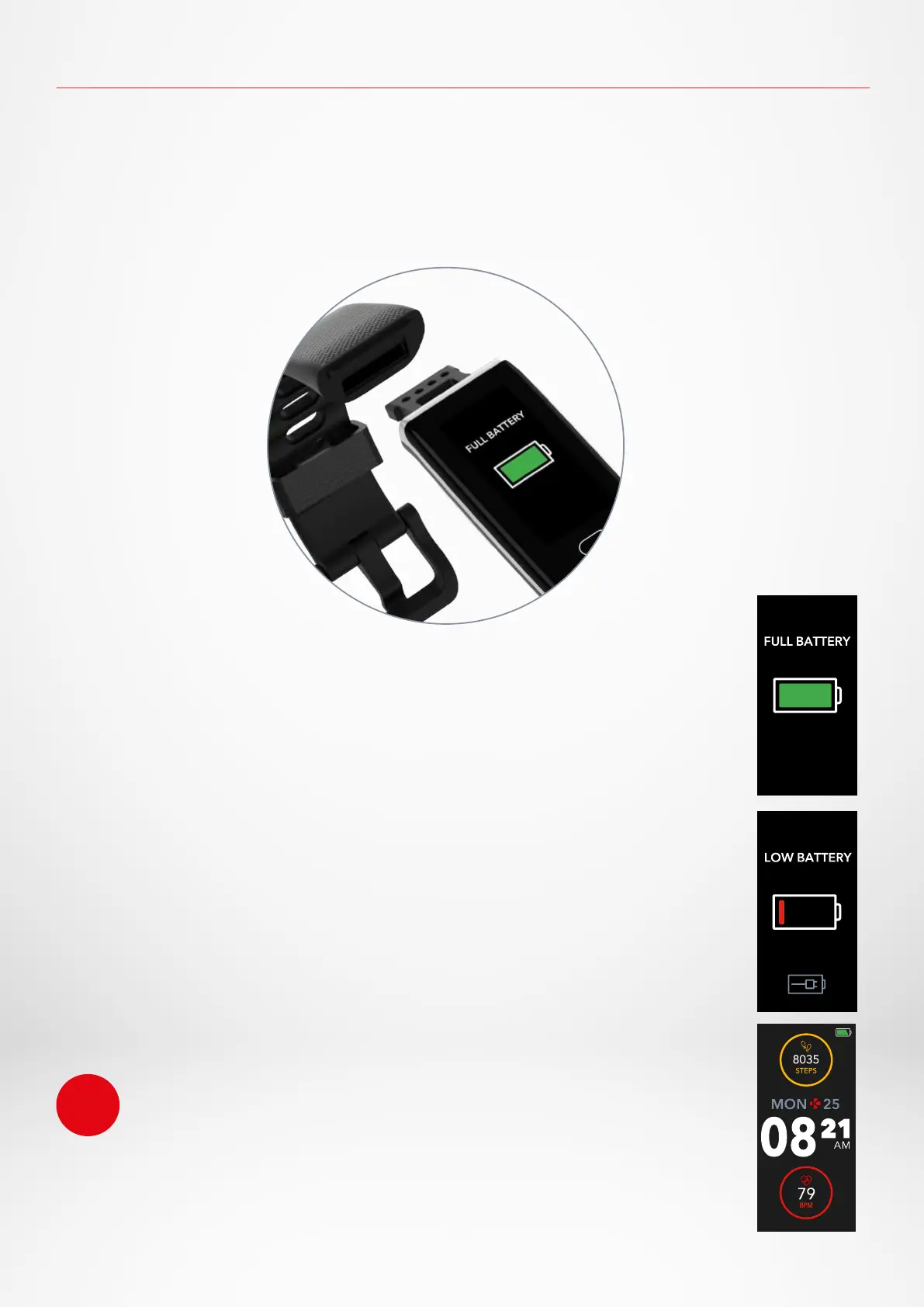
1. Remove the band from your ZeTrack+.
2. Connect the built-in USB plug to a power supply.
A battery indicator will be displayed on your ZeTrack+ screen.
I CHARGING TIME
It takes about one hour to charge ZeTrack+, the battery indicator on your
ZeTrack+ screen will state that your device is fully charged.
I VIEW THE BATTERY LEVEL
View the battery indicator on ZeTrack+’s home screen or in the MyKronoz
Health app.
I LOW BATTERY ALERT
If the battery level is lower than 20%, your ZeTrack+ will vibrate and dis-
play a low battery interface.


 To Next Page