2
Operation Instructions
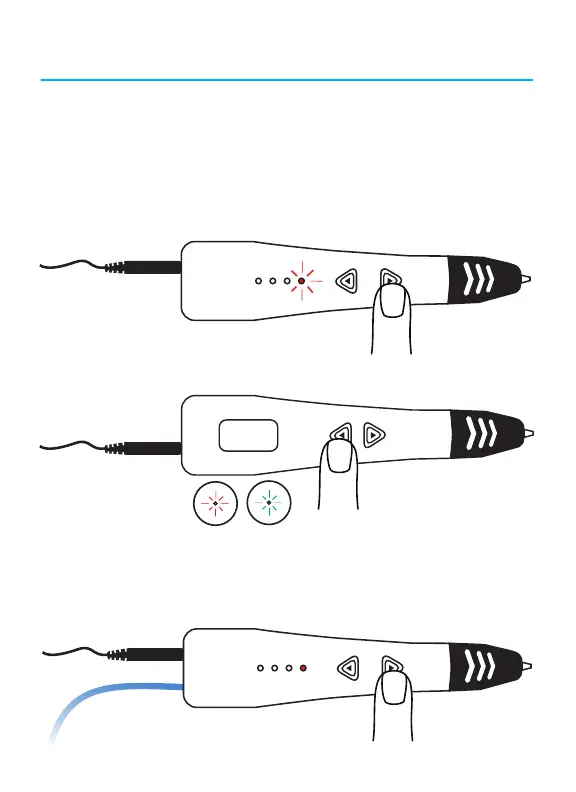
1. Connect the AC/DC adapter and USB Power Cable to a power outlet
or power bank. Insert the plug into the power socket.
2. Click the filament load button to initiate the heating process.
3. The filament type indicator will flash during the heating process
4. To switch between ABS and PLA filament mode, press the top
button on the other side of the pen.
5. To load filament, wait until the filament type indicator has stopped
blinking. Straighten the end of the filament if necessary and insert it
into the filament loading hole until it stops. Press and hold to load
filament into the pen, or double click the feed button to load automati-
cally.
ABS PLA
6. To adjust the speed, press the speed control button until you reach
your desired speed. The three lights on the other side of the pen will
show your selected speed.
7.
Start your drawing on a flat surface.
Poly carbonate, paper, or glass
with a thin layer of washable gluestick makes for an optimal work
surface, but you can use anything that is heat safe and filament
adheres to.
Note: requires AC-USB adapter or power bank with at least
2A (2000mA) output. Computer USB is not sufficient.


 To Next Page