
 Need help?
Do you have a question about the MyQ CHAMBERLAIN CHLA250EVC and is the answer not in the manual?
Details requirements for installers to ensure safe and intended function of powered gates.
Explanation of danger symbols used to indicate potential hazards and risks.
Specifies the designed purpose of the swing gate operator for residential use.
Outlines prohibited uses and applications that could increase accident risk.
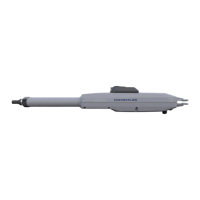
Provides physical dimensions and weight specifications for the gate operator.
Guide for determining post bracket mounting based on opening angle and dimensions.
Step-by-step instructions for securely mounting the post bracket.
Instructions for attaching the operator and setting travel limits.
Guidance on installing physical hardstops for gate movement.
Procedure for manually disengaging the gate operator.
Recommendations for locating and installing the control box.
Instructions and safety advice for connecting the power supply.
Explains the control board display, buttons, and function setting process.
Provides an overview of the programming structure and learning phase.
Setting the correct open and close direction for gate motors.
Covers essential settings for gate operation including application and limits.
Manual setting of soft stop positions for precise gate movement.
Describes the display indications for different gate operational states.
Guide to pairing transmitters, keypads, and setting up myQ connectivity.
Overview of advanced configuration options for fine-tuning gate functions.
Configuring how transmitter commands interact with safety features.
Defines the operating modes for infrared safety photocells.
Configures the behavior of external input commands.
Allows setting a specific opening travel for one gate leaf.
Sets a time delay for Motor 2's opening movement.
Sets a time delay for Motor 1's closing movement.
Enables automatic gate closing after a set period.
Configures gate behavior upon detecting an obstruction.
Manages the behavior of electronic or magnetic locks.
Briefly pushes Motor 1 to relieve pressure on an e-lock.
Selects the type of flashing light connected to the system.
Sets the time interval for pre-movement flashing light indication.
Configures the relay activation time for external devices.
Enables or disables soft-start acceleration for gate motors.
Sets intervals for system maintenance reminders.
Resets the control board to its original factory settings.
Procedure to save settings and exit the programming mode.
Instructions for replacing batteries in the remote control unit.
 General
| Brand | Chamberlain |
|---|---|
| Model | CHLA250EVC |
| Compatibility | Swing gates |
| Maximum Gate Length | 16 ft |
| Type | Gate Opener |
| Control Method | Remote control |
| Operating Temperature | -4°F to 122°F |
| Features | battery backup |

 To Next Page