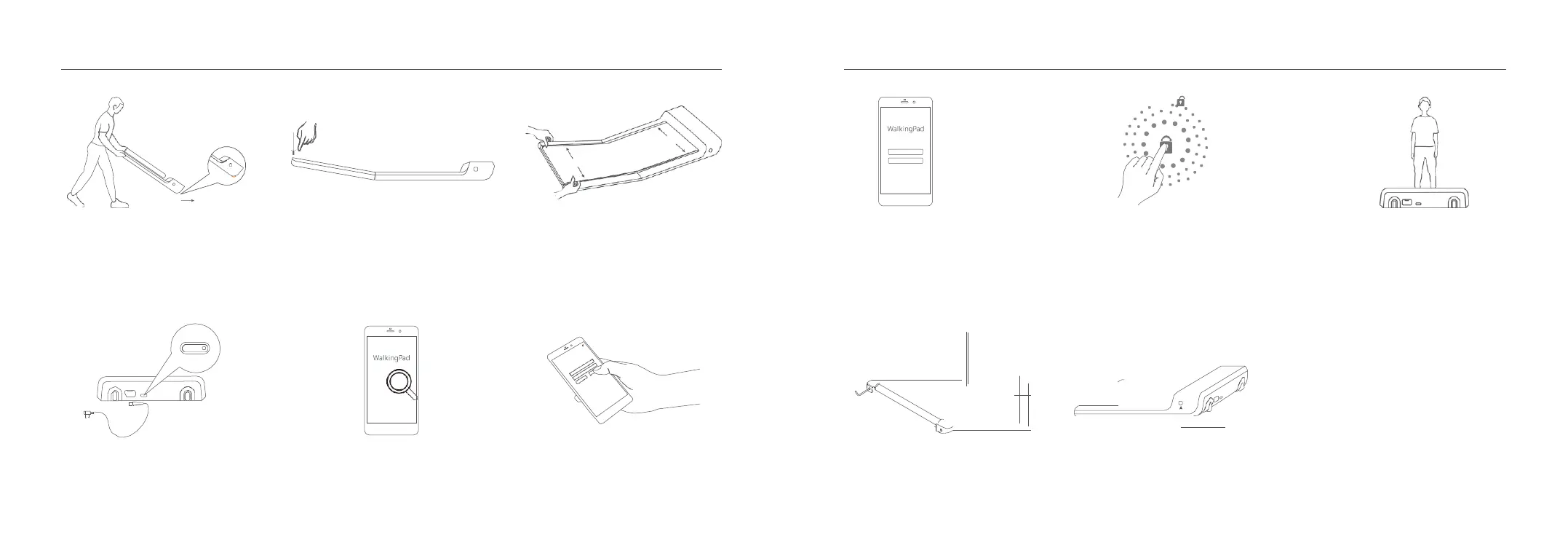
1. Choose flat ground to place the
WalkingPad. It is forbidden to
place it on thick and soft cushion.
Please note: Don't connect the
power before the WalkingPad is
fully unfolded.
2. Unfold the WalkingPad slowly and
press it down to completely flat.
3. Check and adjust the walking belt
to make sure it's centered.
7. Enter novice guide. 8. Complete Novice Guide to unlock
all Functions ( maximum speed
3.75 mi/hr ). Otherwise the speed
limit remains at 1.75 mi/hr.
9. Start to use the WalkingPad.
Mode Switch
4. Connect the power cord and
press the button to switch on.
5. Search ''WalkingPad" App from
Apple Store or Google Play and
complete installation.
6. Open the App, follow the prompts
to set up the device.
10. If the belt deviates from the orbit
in use, please adjust properly.
SEE: 06 Maintenance and
service.
11. Short press: return to the previous mode.
Long press: switch to Standby mode.



 To Next Page