Need help?
Do you have a question about the MyTek Liberty DAC and is the answer not in the manual?
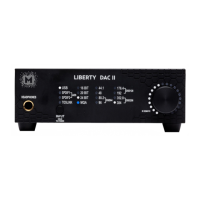
Details the controls, buttons, and LED indicators on the Liberty DAC's front panel.
Explains the digital and analog input/output ports located on the rear of the Liberty DAC.
Step-by-step instructions for installing the essential USB 2.0 driver for Windows.
Guide to installing the Mytek Control Panel software on Windows systems.
Procedures for configuring the Liberty DAC as the primary audio playback device in Windows.
Information on the Liberty DAC's plug-and-play USB 2.0 driverless functionality on macOS.
Instructions for installing the Mytek Control Panel application on macOS.
 General
| Type | DAC/Headphone Amplifier |
|---|---|
| Analog Outputs | RCA |
| DSD Support | DSD64, DSD128, DSD256 |
| Signal-to-Noise Ratio | >120dB |
| Digital Inputs | USB, Coaxial, Optical |
| PCM Sample Rates | up to 384 kHz |
| DSD Sample Rates | DSD64, DSD128, DSD256 |
| THD+N | <0.001% |

 To Next Page