EasyManua.ls Logo

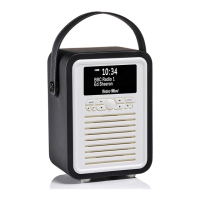
MyVQ Retro Mini - User Manual

MyVQ Retro Mini
27 pages
Print Icon
To Next Page IconTo Next Page
Loading...
USER GUIDE

Other manuals for MyVQ Retro Mini

Question and Answer IconNeed help?

Do you have a question about the MyVQ Retro Mini and is the answer not in the manual?

Summary

Power On;Off Retro Mini

DAB Radio

FM Radio

Bluetooth

Saving Presets DAB;FM

Setting an Alarm

Snooze or End a Sounding Alarm

My EQ Settings

Sleep

To Cancel the Sleep Timer

Screen Brightness; Backlight

Clock Setup

Setting the Clock and Date manually

Reverting back to DAB Radio

Language

Changing the Display Information Screen

Troubleshooting

Factory Reset

Contact Us

MyVQ Retro Mini Specifications

General IconGeneral
BrandMyVQ
ModelRetro Mini
CategoryRadio
TypeDAB/DAB+/FM Radio
BluetoothYes
Alarm ClockYes
Headphone socketYes
Speaker Output3W
Power SourceMains or Battery
Frequency RangeFM: 87.5-108 MHz
Battery TypeLithium-ion
Color OptionsBlack, Blue
Additional FeaturesDual Alarm

Related product manuals