MULTIPOINT CONTROL BOX 8
INSTALLATION MANUAL
6
Wall Switch Operating Instructions:
To operate a zone, simply press the button to turn the respective zone on or off.
The green LED beside the
button is illuminated to indicate the zone is on.
Fullairowshouldbeavailablefromtensecondstotwominutesafterswitchingthezone
on, depending on the stroke time of damper motor being used.
In the event of a power loss and restore to the controller (ie. blackout), the controller will
resume operation with all zones in the on / off state last set by the user.
Basic Connection Diagram:
Spill Zones
&
Plug
Play
8765
Zone Motors
4321
Zone Motors
www.metalflex.com.au
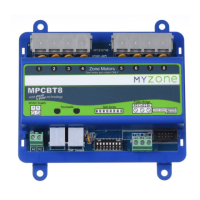
MPCBT8
Touchpads
24VAC Supply
A N
Clock Option
Fujitsu Bridge
MOTOR OUTPUTS MOTOR OUTPUTS
ON
1 2 3 4 5 6 7 8
EZ
Multipoint
EZ
Multipoint
Included
Transformer
GPO
Zone 4
Damper
Zone 3
Damper
Zone 2
Damper
Zone 1
Damper
Zone 8
Damper
Zone 7
Damper
Zone 6
Damper
Zone 5
Damper


 To Next Page