Page 2 of 10
How to view/print previous transaction receipt
Description
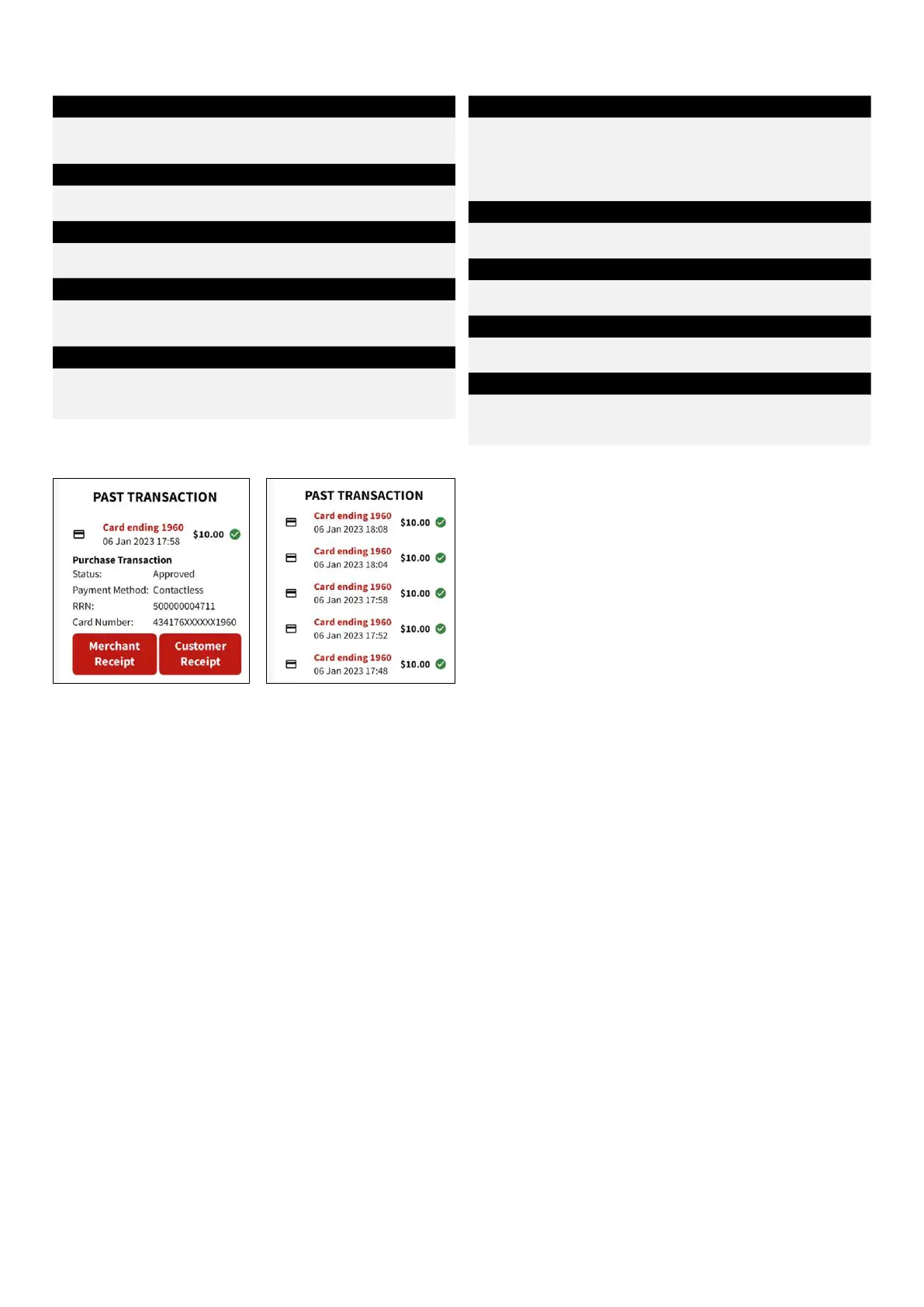
View the previous 10 transactions processed on the terminal.
This includes both approved and declined transactions.
Step 1
Press on “Merchant Menu”.
Step 2
Select “Transactions” and press “Past Transactions”.
Step 3
Transactions can be viewed in the Past Transaction screen as
below.
Step 4
Select one of the transactions with an option to reprint
the receipt.
How to reset password
Description
Refund transactions are protected with a password to protect
you against fraud. You can reset this password on the terminal
or call the Merchant Service Centre.
Note: It’s a good idea to change your password regularly
Step 1
Press on “Merchant Menu” on screen.
Step 2
Select “Settings” and “SET-UP”.
Step 3
Enter the current password and press ENTER key or “Continue”.
Step 4
Enter the new password and press “Set passcode”.
Re-enter passcode.


 To Next Page