Need help?
Do you have a question about the Nadatel N-1640MH and is the answer not in the manual?
Read the user guide carefully and follow all instructions after unpacking.
Operate the product only from the indicated power source type.
Slots and openings are for ventilation; do not block or cover them.
Place the product away from radiators, stoves, and other heat-producing products.
Do not use near water or exceed humidity specifications.
Unplug before cleaning. Use only compressed air; avoid liquid or aerosol cleaners.
Route power cords to avoid being walked on or pinched by items.
Do not overload wall outlets, extension cords, or uninterruptible power supplies.
Unplug during storms to prevent damage from power line surges.
Never insert foreign objects or spill liquid on the product.
Do not place on unstable carts or stands; it may fall, causing injury or damage.
Keep fingers clear of the disc tray during closing to prevent injury.
No heavy objects should be placed on the product.
Do not use cracked, deformed, or repaired discs to prevent injury or malfunction.
Caution: Risk of explosion if battery is replaced by incorrect type.
Do not attempt to service; refer to qualified personnel for safety.
Retain shipping carton and packing materials for integrity during shipping or moving.
Place on a level surface. Avoid placement near TV, radio, or VCR to prevent interference.
Recommend regular inspection maintenance for optimal DVR operation.
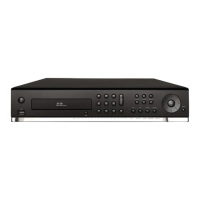
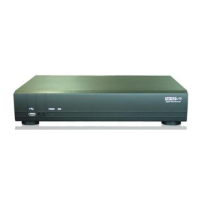
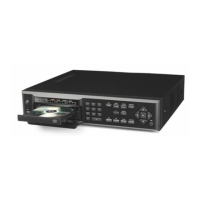
Details the front panel controls and indication lights for specific models.
Details the rear panel ports for specific Analog DVR models.
Explains the functions of each button on the remote control.
Step-by-step guide for installing the DVD-RW drive.
Step-by-step guide for installing the hard drive into the DVR.
Provides tables for estimating storage capacity based on HDD size and recording conditions.
Guide for the first startup, system initialization, and setting basic date/time.
Instructions on how to set and manage Daylight Saving Time.
How to set up Network Time Protocol for automatic time synchronization.
Guide to accessing setup menus and logging in.
Configuration options for the display mode and OSD settings.
Settings for video resolution, frame rate, quality, and recording modes.
How to set up custom recording schedules for channels.
Configuration options for device-specific settings like PTZ and motion zones.
Configures alarm outputs triggered by sensors, motion, or video loss.
Settings for spot monitoring display of activated channels.
Connect and configure PTZ cameras and controllers.
Defines motion detection areas and sensitivity for video analysis.
Manages hard drive overwrite, format, limits, and S.M.A.R.T features.
Sets DVR ID, language, date format, NTP, and email settings.
Manages user authentication, passwords, and playback authority.
Configures network ports, IP settings, DHCP, and DDNS.
Steps for setting up Dynamic DNS for remote access.
Details on setting unique TCP port numbers for network access.
Configures resolution, frame rate, and quality for network streams.
Manages saving/loading configurations and software upgrades.
A simplified setup process for initial DVR configuration.
Displays live video from cameras with status indicator icons.
Provides access to various search methods for recorded video data.
How to find stored video using the time line bar.
How to find stored video by event type.
Accesses the oldest recorded data on the DVR hard drive.
Accesses the most recently recorded data on the DVR hard drive.
Search for video data by setting a specific date and time.
Find previously stored video or images from the archive list.
Access and save system log files.
Controls for playing back recorded video events.
Archive still images from live or playback mode onto a USB flash drive.
Archive video clips from playback mode onto a USB flash drive.
How to back up still images or video from the archive list to storage.
Information on playing back backed-up video files in AVI or NSF format.
Minimum and recommended PC specifications for the network viewer.
Step-by-step instructions for installing the network viewer software.
Overview of functions available in the live monitoring mode.
Enables audio communication between the client and the DVR unit.
Features for searching and playing back video remotely.
Configures security, save paths, and network settings for the viewer.
Software for monitoring multiple DVRs with video, audio, and alarm signals.
Minimum PC specifications for installing the multi-site viewer.
Step-by-step instructions for installing the multi-site viewer software.
Layout and main components of the multi-site viewer interface.
Description of various buttons for controlling playback, site management, and connection.
Layout of the search and playback window for remote DVRs.
Details the buttons and functions within the main control panel.
Procedures for managing DVR sites: adding, deleting, and modifying entries.
Procedures for adding, deleting, and modifying remote DVR site entries.
Steps to establish and terminate connections to selected DVR sites.
How to capture still images from live video feeds.
Instructions for recording live video streams directly to a local PC.
Procedures for playing back recorded video from local or remote sources.
How to play back recorded video stored on the local PC.
How to play back recorded video stored on a remote DVR.
How to back up recorded video in AVI format during playback.
Configure display parameters remotely via the network interface.
Remotely adjust recording modes, resolution, and schedules.
Remotely configure device-specific settings like alarm and PTZ.
Manage storage options remotely, including overwrite and recording limits.
Remotely adjust system parameters like DVR ID, date, and NTP.
Configure network parameters remotely, including IP, ports, and DDNS.
Procedure for upgrading DVR firmware remotely.
View detailed system information remotely.
Steps to download and install the iUMS app on smartphones.
Instructions for using the iUMS app on Android phones.
How to control PTZ functions using the iUMS app on Android.
Instructions for using the iUMS app on iPhones.
How to view live streams using the iUMS app on iPhone.
How to control PTZ functions using the iUMS app on iPhone.
How to search and playback recorded video using the iUMS app on iPhone.
Guide to setting DVR IP and opening TCP ports on the router.
Instructions for accessing the DVR remotely via a network connection.
Steps for connecting to the DVR via a LAN using a hub.
Steps for setting up a DDNS service for internet access.
 General
| Video Input | 16 channels |
|---|---|
| Audio Output | 1 channel |
| Resolution | 1080p |
| Compression Format | H.264 |
| Operating System | Embedded Linux |
| Video Output | 1 VGA, 1 HDMI |
| Audio Input | 4 channels |
| Hard Drive | Up to 6TB |
| Network Connectivity | Ethernet |
| Power Supply | DC 12V |


 To Next Page