CONNECTIONS
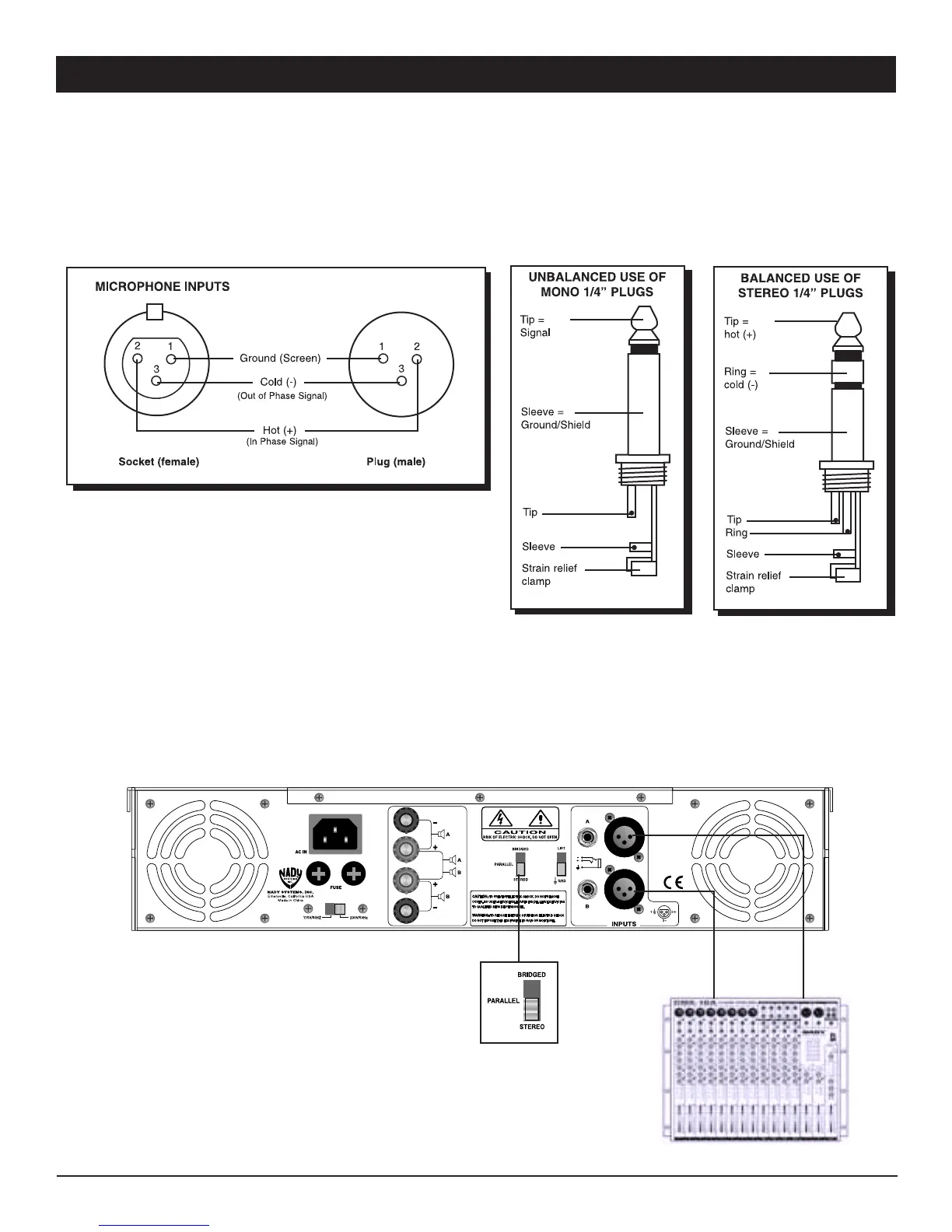
• Stereo (Two-Channel) Mode
To put the amplifier into stereo mode, first turn the amplifier off, then slide the MODE SELECTOR SWITCH (13) to the bottom
“STEREO” position, and properly connect the input/output wiring as shown.
(Note: Do not connect a speaker load less than 2 ohms as it can damage your amplifier.)
The following instructions describe the most common ways to install your amplifier into a sound system.
1. Turn off the amplifier power switch before making any connections.
2. The XA Series amplifiers maybe operated in one of three modes (stereo, bridged-mono, and parallel mono). Refer to the
following wiring diagrams for the speaker connections you wish to make.
(Note: Nady Systems assumes no liability for damaged speakers resulting from improper wiring, careless amplifier use, or
over powering.)
CHANNEL B CHANNEL A
7


 To Next Page