Streamer Spotify
®
Connect Supplement English
Full Naim streamer product installation and operational information can be found in the appropriate
Reference Manual available at: www.naimaudio.com/support/manuals.
3.2 Spotify Connect Playback
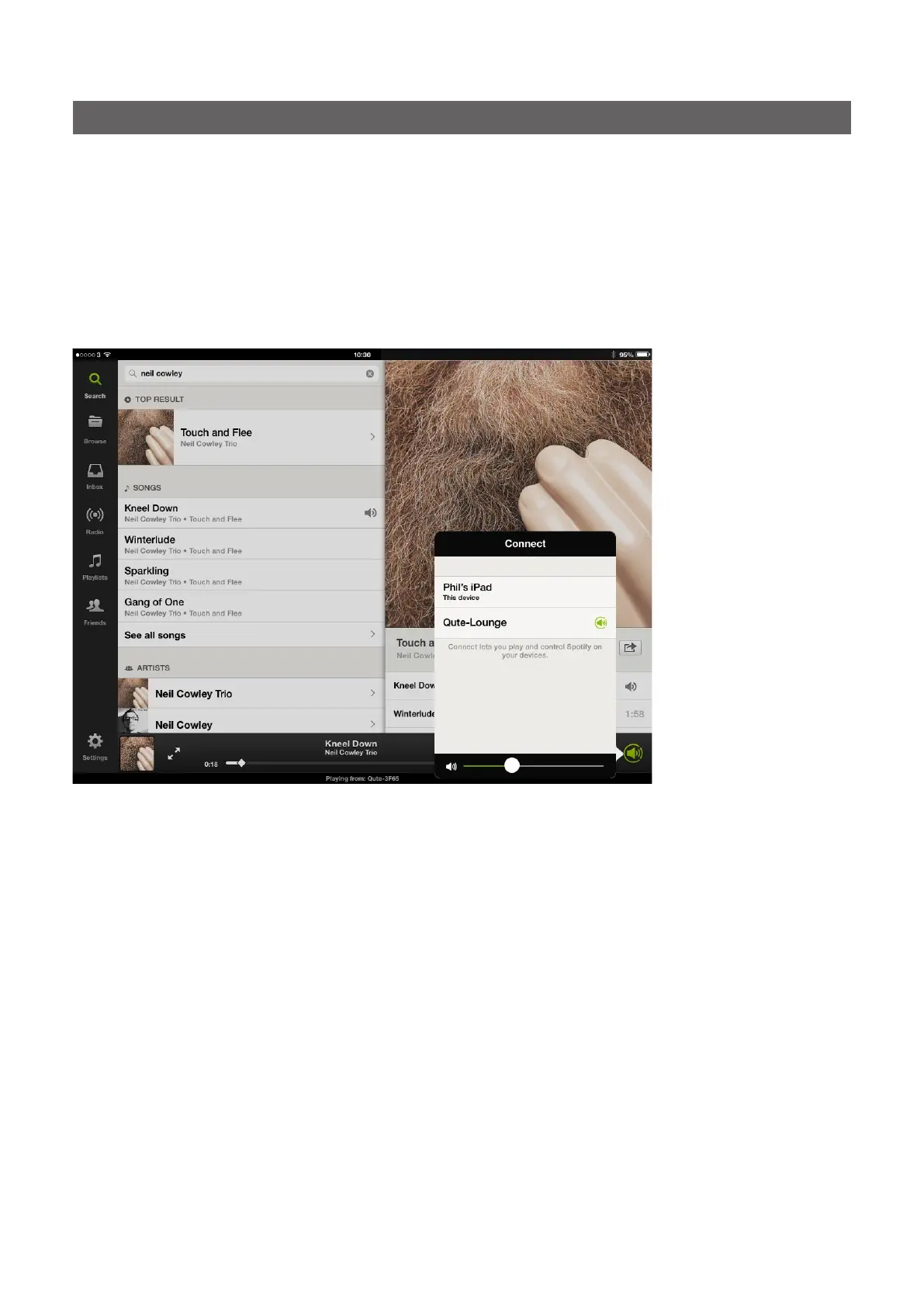
With its Spotify input enabled, the streamer will be available for selection from the Spotify app. Open
the Spotify app and select the Spotify Connect logo. The streamer will be listed for selection as shown
in the iOS illustration below. Select the desired streamer name to nominate it as the Spotify Connect
playback device. Once selected, playback will commence on the Naim product after a short delay.
Note: If the required streamer is not listed, check it is switched on, in normal play mode and connected
to the same network as the device on which the app is running.
Note: If a Naim streamer product with no volume control is to be used, the Spotify Connect player
volume should be set at maximum.
This product incorporates Spotify software which is subject to 3rd party licences found here: www.spotify.com/connect/third-party-licenses





 To Next Page