Need help?
Do you have a question about the N&W Global Vending Canto Plus Instant and is the answer not in the manual?
Machine details conformity with European directives and standards.
List of European directives the machine conforms to.
List of harmonised standards applied for safety.
Safety and operational guidelines for installation personnel.
Guidelines for safe operation by users, including children.
Recommendations for environmentally friendly cleaning and operation.
Proper disposal procedures according to WEEE directive.
How to identify the machine using its serial number and rating plate.
Guidance on troubleshooting and contacting support.
Instructions for safe handling and storage to prevent damage.
Guidelines for placing the machine in a suitable environment.
Lists height, width, depth, weight, power, and frequency.
Capacity and dimensions of the cup dispenser.
Information on electrical pre-arrangement for payment systems.
Setting up programmable sales prices for selections.
Description of external lighting using class-1 LEDs.
Programming power off for LEDs and boilers.
Optional feature for free vend or filling jugs.
Function of the door switch for electrical safety.
Guidelines for maintaining machine hygiene and preventing bacteria.
Instructions for using dispensers with open containers.
Details of external controls and internal programming buttons.
Step-by-step instructions for loading cups into the dispenser.
Identifies parts to be cleaned by color.
Procedures for sanitising internal components.
Details of the dispensing compartment and its features.
Instructions for cleaning mixer channels.
Actions to take when the machine is out of service.
Function and operation of the door switches.
Procedures for safely unpacking and checking the machine.
How to insert product labels onto the machine.
Instructions for label insertion on numeric models.
How to connect the machine to the water supply.
Information on using water inlet filters.
Explanation and procedure for the antiflood device.
Information on using a decalcifier for hard water.
Guidelines for safe electrical connection of the machine.
Instructions for installing and configuring payment systems.
Setup for connecting machines in a bank configuration.
Procedure for filling the water circuit during initial setup.
Disinfection of mixers and tubes for hygiene.
Explanation of the 10-line graphical display and menu navigation.
How to move through menus using arrow and enter keys.
Explains the functions of keyboard keys for navigation and input.
Accessing and using the filler menu for basic operations.
Displaying and resetting machine statistics and counters.
Setting up individual, global, and promotional prices.
Defining drink composition variables like powder and water.
Accessing and using the technician menu for advanced settings.
Setting the current date and time for time bands and statistics.
Adjusting operating temperatures for espresso and instant boilers.
Initialising, saving, and restoring machine configuration data.
Selecting the display language for messages.
Composing and displaying promotional messages.
Adjusting the display contrast level.
Setting the time for the screen saver to activate.
Enabling the button for washing mixers.
Setting the time for automatic mixer washing.
Dispensing hot water for mixers under specific conditions.
Dispensing cold water for mixers if the cold unit is available.
Defining water supply source (network or internal tanks).
Function of the photocell for detecting objects in the dispensing area.
Feature for obtaining cup-free selections to fill jugs.
How to dispense stirrers from the front or rear columns.
Configuring master/slave hierarchies and selection numbering.
Setting same price holding mode in slave machines.
Scrolling information from a connected slave machine.
Performing test dispensing of selections without payment.
Operating brewing unit, releasing doses, and other tests.
Performing semi-automatic checks of machine components.
General maintenance schedule for cleaning and disinfection.
Detailed steps for cleaning and sanitising components.
Procedures for removing residue and sanitising.
Displaying active failures and their status.
Explains various failure codes and their causes.
Displaying the last 16 recorded failures.
Identifies nozzles by color and holes for flow rate.
Setting up the nozzle type in machine software.
Procedure for descaling the boiler, requiring qualified personnel.
Checking and changing board configuration and software.
How to rewrite machine management software.
Defining keyboard type before initialization.
Management of signals, LEDs, and actuation board.
Meaning of green, yellow, and red LEDs on the CPU board.
Activating users via relays and DC motors.
Description of various relay functions.
Legend for initials used in the wiring diagram.
 General
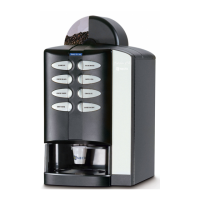
| Brand | N&W Global Vending |
|---|---|
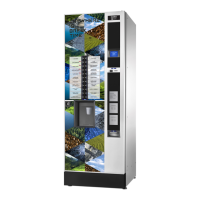
| Model | Canto Plus Instant |
| Product Type | Vending Machine |
| Power Supply | 230 V / 50 Hz |
| Beverage Options | Coffee, Espresso, Cappuccino, Latte, Chocolate, Tea |
| Payment system | Cash, cashless (card, mobile) |
| Water Tank | No (Direct water connection) |
| Voltage | 230 V |
| Display | LCD |

 To Next Page