EasyManua.ls Logo

Nanfone NF-688 - User Manual

Nanfone NF-688
29 pages
Print Icon
To Next Page IconTo Next Page
Loading...
Introduction……………………………………...34
Included………………………………………….34
Accessories List………………………………...35
Main Features…………………………………..35
Technical Information…………………………..37
Know the Radio………………………………...39
Preparation before using………………………40
Function Operations…………………………....46
Function Setting ………………………………..54
Maintenance…………………………………….58
Trouble Shooting ……………………………….59
Appendix: CTCSS and DCS chart…………….61
Contents
Contents
Professional Handheld FM Transceiver

Questions and Answers

Overview

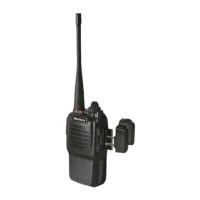
This document describes the NANFONE NF-688 (688plus) Professional Handheld FM Transceiver, a compact and easy-to-use device designed for high-quality conversations in various environments, including countryside, forest areas, pastoral areas, or at sea. Its fashion casing also allows for personalization.

Function Description:

The transceiver offers a wide range of functions, many of which can be programmed via PC software.

  • Voice Reported Function: Available in both English and Chinese (optional), this feature reports channel numbers when the radio is turned on.
  • High/Low Power Switchable: The device supports 5W power output, allowing users to switch between high and low power settings as needed.
  • Wide/Narrow Bandwidth: Provides flexibility in communication by supporting both wide and narrow bandwidths.
  • CTCSS/DCS: Includes 50 CTCSS tones and 83 DCS codes to avoid interference from other radios. These can be programmed via PC software, with options for "carrier wave" BCLO, CTCSS/DCS BCLO (receiving SQ but not CTCSS/DCS allows transmission), and CTCSS/DCS busy lockout (receiving SQ and CTCSS/DCS prohibits transmission).
  • VOX Function: Releases hands for convenient use by automatically transmitting when voice is detected. The gain level of VOX can be adjusted from level 1 to 9, with higher levels increasing sensitivity. VOX Postponement can be set to prevent the end part of a call from being cut off if the transceiver returns to receiving mode immediately after launch.
  • TOT Function (Time-out Timer): Prevents a single person from using a channel for an extended period. The overtime can be set via PC software (30, 60, 90, 120, 150, 180 seconds, or OFF). If the transmission time exceeds the preset timer, launching stops, and a "Bi" tone sounds. Releasing and pressing the PTT button again resumes launching.
  • BCL Function (Busy Channel Lockout): Prevents transmission on a busy channel.
  • Scan Function: Scans and receives all conversion channels. When activated by PC program and set to Channel 16, the radio will announce "scanning." If it reports "16," the scan function is off. The radio will scan signals one by one from the present channel. Upon matching a signal, the LED flashes green, and signals are received. Transmission is possible via PTT. If no operation occurs, it returns to scan. Two types of scan are available: "carrier wave" and "time." When "carrier wave" is chosen, the scan function can be selected for each channel. When the scan function is ON, the channel is scanned automatically in standby. Users can talk on this channel when a signal is present. Rotating the channel selector to channel 16 activates the scan function for channels set for automatic scan. Priority channels can also be set; the transceiver will spy on the priority channel even when in a non-priority channel and switch to it immediately upon receiving a signal.
  • FM Radio: Allows users to listen to FM radio for news. Long pressing (FM/Monitor/FM+) for more than 2 seconds turns on the FM radio. Short pressing (FM/Monitor/FM+) allows automatic scanning. Long pressing (FM/Monitor/FM+) again for more than 2 seconds quits FM. The FM function can be programmed by PC. The radio can automatically return to transmit mode upon receiving the same frequency signal.
  • Battery Save and Long Standby: Features designed to extend battery life.
  • Built-in Bluetooth (Optional): Allows pairing with Bluetooth headsets and cell phones.
  • Emergency Alert: Keeps users safe and comfortable by activating an emergency call. For the 668 Model, long press the Bluetooth button on top for more than 2 seconds. For the 668Plus Model, long press the (FM-/Call) button on the side panel for more than 2 seconds. The red indicator flashes, and an emergency call is made to the same frequency (channel one) radio. Press PTT to quit. After this function, the radio stops on Channel 01 until channels are rotated; otherwise, it flashes green.
  • Noises Cancel Function: Clears up noise after a conversation ends.
  • Channel Locked Function: Prevents unintended channel changes.
  • Monitor: Short press (FM/Monitor/FM+) to turn on the Squelch; press again to turn off.
  • Call Function: Press (PTT) and (FM/Monitor/FM+) simultaneously to call and transmit; release (FM/Monitor/FM+) to quit.
  • Oral Channel Indicator Function: Programmed via PC software, this function allows the transceiver to report channels in English or Chinese, or to be turned off.
  • Radio Return: Programmed via PC software, this function allows the radio to automatically return to transmit mode after receiving a signal. If not enabled, the FM radio exits automatically.
  • Wired Cloning: Allows mutual cloning between two transceivers. Connect transmission lines to both, power on the subsidiary transceiver, rotate the channel selector on the base transceiver to channel 8, then hold and press "Radio/Monitor/Reception+" key for 3 seconds until the orange light (red and yellow flash simultaneously) indicates cloning state. Release the button. When the orange light flashes, press PTT; the red light on the base and yellow light on the subsidiary transceiver flash, indicating cloning state. Successful cloning is indicated by the orange light flashing again on the base transceiver. If lights flash abnormally, check connections and press PTT to resume. For multiple clones, turn off the subsidiary device, disconnect, and repeat the process. Reboot the transceiver after cloning.

Important Technical Specifications:

GENERAL:

  • Frequency range: 400MHz-470MHz
  • Number of channels: 16
  • Channel spacing: 12.5kHz/25kHz (Optional)
  • Modulation: Frequency Modulation (FM)
  • Operating temperature range: -20 °C -- +55 °C
  • Voltage: 7.4V
  • Standby Current: About 15mAh (Power Save)
  • Size: 100(H)×58(W)×36(D)
  • Weight: About 205g

TRANSMITTER:

  • Frequency Distortion: ±3ppm
  • Output power: ≤5W
  • Emission current: ≤1.5A
  • Maximum frequency deviation: ±5kHz
  • Audio frequency distortion: <10%
  • Adjacent frequency: <70dB
  • Residual radiation: <-60dB

RECEIVER:

  • Reference sensitivity: <-122dBm (12dB SINAD)
  • Squelch sensitivity: <-126dBm
  • Rated Audio Power: ≥500mW
  • Receiving current: ≤380mA
  • Audio frequency distortion: <10%
  • Adjacent-Channel Selectivity: ≥60dB
  • Intermediation Rejection: ≥60dB

Usage Features:

  • Antenna Installation: Install the antenna by rotating it clockwise until tight. (Note: Do not hold the machine by the antenna or hang keychains/earphones on it, as this can damage the antenna and reduce performance.)
  • Lithium Battery Pack Installation: Insert the original Lithium battery pack correctly as shown in the manual.
  • Battery Unfolding: Press the battery snap and push up to unfold the battery.
  • Belt Clip Installation: If necessary, install the belt clip with 3*6 screws. (Note: Do not use glue. Remove the belt clip before removing the battery pack.)
  • External Microphone Installation: Install the microphone as shown in the manual.
  • Charging: The battery pack is shipped without power and must be charged before use. For first-time use or after storage over two months, the battery capacity may be less than normal but will return to normal after five charge/discharge cycles. Charge in power-off mode; the red indicator light is on during charging and off when finished. Charging steps involve inserting the AC adaptor line into the desk-top charger, connecting power, and placing the battery or radio with battery on the desk top. Full charging takes 5-6 hours. (Note: Ensure battery charging is working, do not short-circuit terminals or dispose of batteries in fire, and do not unload the battery rear case.)
  • Turning On: Rotate Power/Vox Clockwise. A "Di" sound indicates the radio is on and reporting channel numbers.
  • Channel Exchange: Choose the desired channel. A sound from the speaker indicates a channel in use.
  • Low Battery Alert:
    • Voltage > 6.5V: Battery shows 1-2 Grid.
    • Voltage < 6.5V but > 6.3V: Red indicator flashes during transmit/receive (Battery shows 1 Grid).
    • Voltage < 6.3V but > 6.1V: Battery is blank; "Di Di" alarm every 20 seconds during receive; red indicator flashes during transmit.
    • Voltage < 6.1V: Battery is blank; "Di Di" alarm every 20 seconds; cannot transmit.

Maintenance Features:

The transceiver is a precision electronic product and should be handled carefully.

  • Disassembly: Do not attempt to disassemble the transceiver, as non-technician processing may damage the device.
  • Power Supply: Use a stable power supply and connect the specified USB cable to the DC jack.
  • Gas Stations: Turn off the transceiver when in a gas station.
  • Temperature: Avoid prolonged exposure to sun or hot places, as high temperatures can shorten the life of electronic parts and cause plastic distortion.
  • Moisture: Keep the transceiver dry to prevent rain and moisture from eroding electronic circuits.
  • Peculiarities: Power off the transceiver and remove its battery pack immediately if it exhibits any unusual behavior.

Troubleshooting:

  • No power: Battery may be exhausted (recharge/replace) or not installed correctly (check/reinstall).
  • Unable to talk or hear members in your group: Ensure the same frequency and CTCSS tone are used. Group members may be too far away (ensure within operating range).
  • Communication distance is short: Confirm antenna is well connected/tightened. Confirm use of original antenna. Reduce squelch level if set too high.
  • Other group members' voices are present on the channel: Change frequency. Change CTCSS signal for all transceivers in the group.
  • Battery lasts a short time after charging: Battery pack may be worn out (replace with new one). Ensure battery is fully charged.
  • Receiver voice is not clear and loud: Check if the transceiver's MIC is blocked.
  • Water goes into the radio: Immediately remove the battery and dry the radio in dry air. Seek repair as soon as possible.

Nanfone NF-688 Specifications

General IconGeneral
BrandNanfone
ModelNF-688
CategoryTransceiver
LanguageEnglish

Related product manuals