13
(2)Firmware update for fixtures via wire controller
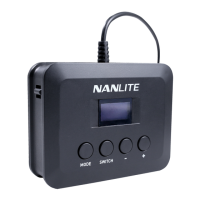
Switch on the controller and connect it to the fixture to be upgraded, insert the USB flash drive with the new
firmware of the fixture, turn on the fixture, then press the MODE button to switch to the menu interface.
Press MODE button to confirm the update, it will prompt "FIRMWARE UPDATED" after the firmware is upgraded.
FIRMWARE UPDATING
......
In the menu, press the SWITCH button to firmware update.
FOUND FIRMWARE
V1.00.10
BACK UPDATE
FIRMWARE UPDATED
MODE SWITCH
MODE SWITCH
MENU
VERSION:V1.00.10
FW: UPDATE
MENU
WIRELESS PROTOCOL: V2.0
BT: RESET


 To Next Page
 Loading...