EasyManua.ls Logo

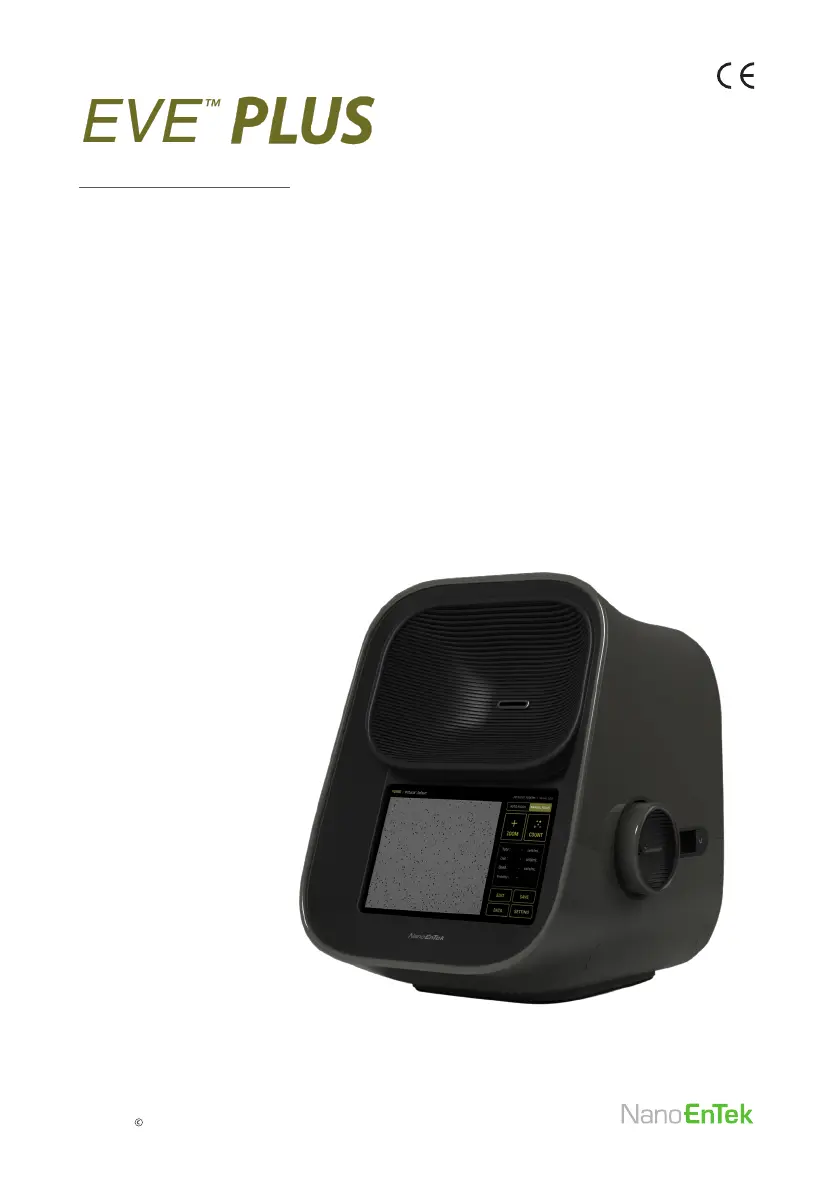
NanoEnTek EVE PLUS - User Manual

NanoEnTek EVE PLUS
48 pages
Print Icon
To Next Page IconTo Next Page
Loading...
User Manual
Automated cell counter
Copyright NanoEnTek, Inc. All rights reserved.

Questions and Answers

Summary

Install EVE PLUS

Activation Code

Setting Menu

Mode

Select count mode for cell counting (SINGLE CELL or CLUMP CELL).

Parameter Details

Calibration

Recalibration Procedure

Mix Trypan blue 1:1 with buffer, load sample, insert slide, and press Start.

Recommended Actions

Cell Counting (Auto Focus)

Cell Counting (Manual Focus)

Data Export (Report & Image)

Data Export (CSV File)

Maintenance and Cleaning

Troubleshooting Inaccurate Cell Count

Sample Handling Issues

Do not insert the EVE™ Cell counting slide upside-down as this may introduce liquid into the instrument.

Low and High Readings

The EVE™ PLUS is designed to read samples from 1 x 10⁴ cells/mL to 2 x 10⁷ cells/mL.

Poor Image Quality

While viewing cells in the zoom mode, use the focus knob to adjust the image.

Clumpy Cell Issues

Ensure the cells are not clumped. Calibrate the counter each year.

Warranty Information

Product Specifications

Safety Precautions

General Safety Instructions

Review and follow the safety instructions below: Do not install the instrument in a humid place.

Electrical Safety

To avoid potential shock hazard, make sure that the power cord is properly grounded.

Instrument Handling Precautions

Do not install an instrument on a slant or a place prone to vibrations.

Summary

Install EVE PLUS

Activation Code

Setting Menu

Mode

Select count mode for cell counting (SINGLE CELL or CLUMP CELL).

Parameter Details

Calibration

Recalibration Procedure

Mix Trypan blue 1:1 with buffer, load sample, insert slide, and press Start.

Recommended Actions

Cell Counting (Auto Focus)

Cell Counting (Manual Focus)

Data Export (Report & Image)

Data Export (CSV File)

Maintenance and Cleaning

Troubleshooting Inaccurate Cell Count

Sample Handling Issues

Do not insert the EVE™ Cell counting slide upside-down as this may introduce liquid into the instrument.

Low and High Readings

The EVE™ PLUS is designed to read samples from 1 x 10⁴ cells/mL to 2 x 10⁷ cells/mL.

Poor Image Quality

While viewing cells in the zoom mode, use the focus knob to adjust the image.

Clumpy Cell Issues

Ensure the cells are not clumped. Calibrate the counter each year.

Warranty Information

Product Specifications

Safety Precautions

General Safety Instructions

Review and follow the safety instructions below: Do not install the instrument in a humid place.

Electrical Safety

To avoid potential shock hazard, make sure that the power cord is properly grounded.

Instrument Handling Precautions

Do not install an instrument on a slant or a place prone to vibrations.

NanoEnTek EVE PLUS Specifications

General IconGeneral
BrandNanoEnTek
ModelEVE PLUS
CategoryLaboratory Equipment
LanguageEnglish