EasyManua.ls Logo

NanoEnTek Frend system - User Manual

NanoEnTek Frend system
60 pages
Print Icon
To Next Page IconTo Next Page
Loading...
System
User
manual
Question and Answer IconNeed help?

Do you have a question about the NanoEnTek Frend system and is the answer not in the manual?

Summary

Introduction to the FREND System

Read Me First

Instructions to read before using the FREND™ System.

Warranty Information

Details the warranty period and conditions for the FREND™ System.

Principle of the FREND System

Explains the laser-induced fluorescence technology used in the FREND™ System.

Intended Use of the FREND System

Describes the purpose and application of the FREND™ System in clinical management.

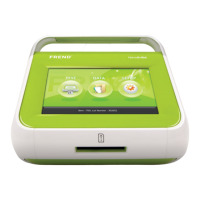
FREND System Product Components

Lists and illustrates the main device and accessories included with the FREND™ System.

Safety Symbols and Abbreviations

Defines symbols and abbreviations used in the FREND™ System manual and packaging.

Safety Precautions

Provides essential safety guidelines for operating the FREND™ System.

General Safety Warnings

Lists important general safety warnings and precautions for using the FREND™ System.

FREND System Description

Details the names and functions of the different parts of the FREND™ System.

Code Chip and Cartridge Functionality

Explains the role of Q.C. Code chips and analyte cartridges in the FREND™ System.

Software Keys and Interface Navigation

Covers the main, setup, and data screens, explaining their respective buttons and functions.

Setup of the FREND System

FREND System Setup Procedure

Provides a comprehensive, step-by-step guide for the initial setup and configuration of the FREND™ System.

Operation of the FREND System

FREND System Operating Procedure

Detailed steps for operating the FREND™ System to perform sample tests and obtain results.

FREND System Data Management

Guide to managing test data, including searching, viewing results, printing, and backing up.

Maintenance and Troubleshooting

FREND System Maintenance Procedures

Details on performing regular checks, using maintenance supplies, and system checklists.

Cleaning and Storage Guidelines

Guidelines for cleaning the device and recommended storage conditions.

Troubleshooting - Cartridge Insertion Issues

Diagnoses and resolves errors related to improper insertion of test cartridges.

Troubleshooting - Barcode Issues

Solutions for problems with reading cartridge barcodes, including damage or illegibility.

Troubleshooting - Data Backup Issues

Addresses errors during data transfer to USB drives, focusing on connection and version compatibility.

Troubleshooting - Data Save Issues

Guidance for when the FREND™ System's internal storage capacity is full.

Troubleshooting - Code Chip Install Issues

Solutions for errors related to code chip insertion or the system's inability to recognize them.

Troubleshooting - Test Result Issues

Covers various errors affecting test result output, signal interpretation, and cartridge flow.

Troubleshooting - Update Issues

Provides solutions for errors during software updates, specifically missing executable files.

Troubleshooting - No Entry Requirements

Resolves issues where required entry fields for tests are not completed.

General Specification and Environmental Conditions

Lists electrical specifications, dimensions, and environmental recommendations for optimal performance.

Customer Support Information

Contact details and information regarding copyright and manual revision history.

Summary

Introduction to the FREND System

Read Me First

Instructions to read before using the FREND™ System.

Warranty Information

Details the warranty period and conditions for the FREND™ System.

Principle of the FREND System

Explains the laser-induced fluorescence technology used in the FREND™ System.

Intended Use of the FREND System

Describes the purpose and application of the FREND™ System in clinical management.

FREND System Product Components

Lists and illustrates the main device and accessories included with the FREND™ System.

Safety Symbols and Abbreviations

Defines symbols and abbreviations used in the FREND™ System manual and packaging.

Safety Precautions

Provides essential safety guidelines for operating the FREND™ System.

General Safety Warnings

Lists important general safety warnings and precautions for using the FREND™ System.

FREND System Description

Details the names and functions of the different parts of the FREND™ System.

Code Chip and Cartridge Functionality

Explains the role of Q.C. Code chips and analyte cartridges in the FREND™ System.

Software Keys and Interface Navigation

Covers the main, setup, and data screens, explaining their respective buttons and functions.

Setup of the FREND System

FREND System Setup Procedure

Provides a comprehensive, step-by-step guide for the initial setup and configuration of the FREND™ System.

Operation of the FREND System

FREND System Operating Procedure

Detailed steps for operating the FREND™ System to perform sample tests and obtain results.

FREND System Data Management

Guide to managing test data, including searching, viewing results, printing, and backing up.

Maintenance and Troubleshooting

FREND System Maintenance Procedures

Details on performing regular checks, using maintenance supplies, and system checklists.

Cleaning and Storage Guidelines

Guidelines for cleaning the device and recommended storage conditions.

Troubleshooting - Cartridge Insertion Issues

Diagnoses and resolves errors related to improper insertion of test cartridges.

Troubleshooting - Barcode Issues

Solutions for problems with reading cartridge barcodes, including damage or illegibility.

Troubleshooting - Data Backup Issues

Addresses errors during data transfer to USB drives, focusing on connection and version compatibility.

Troubleshooting - Data Save Issues

Guidance for when the FREND™ System's internal storage capacity is full.

Troubleshooting - Code Chip Install Issues

Solutions for errors related to code chip insertion or the system's inability to recognize them.

Troubleshooting - Test Result Issues

Covers various errors affecting test result output, signal interpretation, and cartridge flow.

Troubleshooting - Update Issues

Provides solutions for errors during software updates, specifically missing executable files.

Troubleshooting - No Entry Requirements

Resolves issues where required entry fields for tests are not completed.

General Specification and Environmental Conditions

Lists electrical specifications, dimensions, and environmental recommendations for optimal performance.

Customer Support Information

Contact details and information regarding copyright and manual revision history.

NanoEnTek Frend system Specifications

General IconGeneral
BrandNanoEnTek
ModelFrend system
CategoryCard Reader
LanguageEnglish