
 Need help?
Do you have a question about the Nanosonics trophon2 and is the answer not in the manual?
Ensures safe and secure placement on a bench, wall, or cart for proper operation.
Checks technical specifications like power connection, temperature, and clearance for optimal performance.
Verifies availability and shelf-life of consumables like Sonex-HL, NanoNebulant, and Chemical Indicators.
Connects the device to mains power and networks it via Ethernet or wireless bridge.
Allows the user to choose their preferred language for the trophon2 interface.
Configures the device's region, time zone, and optionally enables automatic date/time synchronization.
Sets AcuTrace to ON for using accessories and consumables; OFF is not recommended.
Assigns a unique Operator Card to each user for accurate disinfection record traceability.
Issues and programs Medical Instrument Tags for instruments processed by trophon2.
Scans the AcuTrace symbol on new chemical indicator boxes at the start of each use.
Guides the user through inserting a new Sonex-HL or Nanonebulant disinfectant cartridge.
Confirms that the trophon2 device setup is complete and ready for high-level disinfection.
Connects the trophon Printer to the trophon2 device using the printer cable.
Connects the DC power supply to the trophon Printer and ensures it is switched on.
Properly inserts the label roll into the printer, ensuring correct feeding of the roll end.
Configures printer defaults, selects label quantity, and performs a test print.
Accesses the AcuTrace function from the trophon2 main menu for card and tag programming.
Details the process of programming new Operator Cards with user-specific information.
Explains how to program Medical Instrument Tags with probe details for traceability.
 General
| Product Name | trophon2 |
|---|---|
| Category | Medical Equipment |
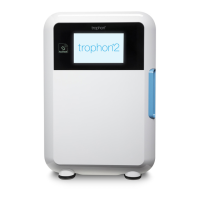
| Type | Ultrasound Probe Disinfector |
| Probe Compatibility | Compatible with a wide range of ultrasound probes |
| Power Supply | 100-240 V AC, 50/60 Hz |
| Disinfection Method | Hydrogen Peroxide |
| Cycle Time | 7 minutes |
| Regulatory Compliance | CE Marked, FDA Cleared |

 To Next Page
