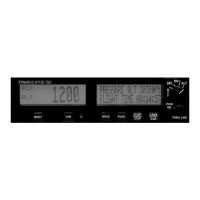
STARTUP SCREEN
At turn on the startup screen shows Model type and software version.
SETUP
Start with the AT165 Function Selector Switch in the OFF position. Hold in the FUNC button while turning the
Function Selector Switch to the SBY position. Release the FUNC button. The AT165 will now be at the
Contrast Adjust screen. Rotating the Code Selector/Data Entry Switch CW or CCW will adjust the display’s
contrast. Once the desired contrast is achieved pressing the FUNC button will save this setting and continue to
the Display Mode screen or Vfr Set screen (V1.03 or later software).
The Vfr Set screen allows the setting of the code displayed when the VFR button is pressed. Rotating the data
entry switch will change the digit value and pressing the data entry switch will change the flashing cursor to the
next digit. Pressing the FUNC button will save the new VFR value and continue to the Display Mode screen.
The Display Mode screen allows three choices for the display: AUTO, POS or NEG. While in this mode,
turning the Data Entry Switch will scroll through these settings.
AUTO – Black letters on a light background switching to light letters on a black background as the
ambient light is reduced.
POS- Black letters on a light background.
NEG – Light letters on a black background.
Once the desired Display Mode setting is achieved pressing the FUNC button will save this setting and continue
to the Gray Code Input screen.
The Gray Code Input screen shows the current altitude and the status of each of the Gray code altitude inputs. A
filled box indicates a ground on the altitude input. This screen is used as an aid in installation troubleshooting.
Pressing the FUNC button exits the setup procedure.
RECEIVER INTERROGATION DISPLAY
When the At165 is in either ON mode or ALT mode and is being interrogated by Radar the RCV legend will
appear in the Code window.
CODE SELECTION
Pressing the Code Selector/Data Entry Switch once enables Transponder Code entry. The left most code digit
will begin flashing. Turning the switch selects the code and pushing the switch again moves to the next digit
from left to right. Once code selection has started, all four digits must be set before the code entry is completed.
A total of 5 pushes completes the code entry process. If the switch is inadvertently pressed, it will stop the code
entry process automatically in 10 seconds. The VFR code can subsequently be recalled automatically by
pressing the VFR button. Code entry can not be started if the AT165 is in setup, Count Down Timer set, or
Altitude Buffer set modes.
PRINTED IN U.S.A. REV C JANUARY 2005


 To Next Page
 Loading...