
 Need help?
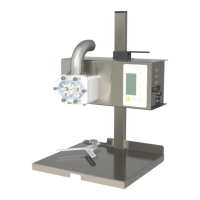
Do you have a question about the Nassenheider Fill Up 2 visco and is the answer not in the manual?
Electronic overload protection guard built into the system for pump head blockage.
Details the 8A medium time lag micro fuse in the power supply and drive module.
Specifies the machine's purpose and suitable liquids, with viscosity and temperature ranges.
Lists electrical specifications, dimensions, weight, and pumping performance data.
Covers motor protection and micro fuse details for safety.
Steps for setting up the machine in a suitable environment and initial cleaning.
Procedure for adjusting the filling nozzle height relative to the jar opening.
Guidelines for safe transport and storage to prevent contamination and damage.
Guidance on configuring the machine for various liquids, including unit display and density.
Overview of the machine's control panel, including keys and display functions.
Explanation of basic navigation, selection, and confirmation using the machine's buttons.
Details on different operational modes like HAND/PUMP, AUTO, and time switch functions.
Guide to using the automatic mode for filling jars with precise quantities.
Procedure for using the time switch function to create creamed honey.
Option to select the operating language for the machine interface.
Function to program or change nominal filling quantities and jar sizes.
Setting the length of the retraction motion after the motor stops.
Selection of units for measurement, such as grams, milliliters, or ounces.
Pre-setting the density of the medium being filled for accurate volume calculation.
Selection of the appropriate pump head based on the type of liquid being processed.
Configuration for attached accessories like turntables or scale modules.
Procedure to reset the machine's settings back to the factory defaults.
Displays information about total and daily counts, with details on calibration.
Description of the microswitch for automated jar detection in AUTO mode.
Details on connecting and using the foot switch as an alternative to the keyboard.
Explanation of the niveau switch for controlling liquid levels in containers.
General maintenance, cleaning procedures, and replacement of shaft seal rings.
Instructions on how to update the machine's software via a USB interface.
Troubleshooting steps for software-related issues, including electromagnetic interference.
Causes and solutions for air bubbles in the filled medium, including suction and retraction adjustments.
Diagnosis for motor issues, potentially caused by hardened honey or foreign objects.
Explanation of overload warnings and how to acknowledge them to resume operation.
Troubleshooting steps for inaccurate filling, such as hose diameter, viscosity, and motor speed.
 General
| Brand | Nassenheider |
|---|---|
| Model | Fill Up 2 visco |
| Category | Water Pump |
| Language | English |

 To Next Page