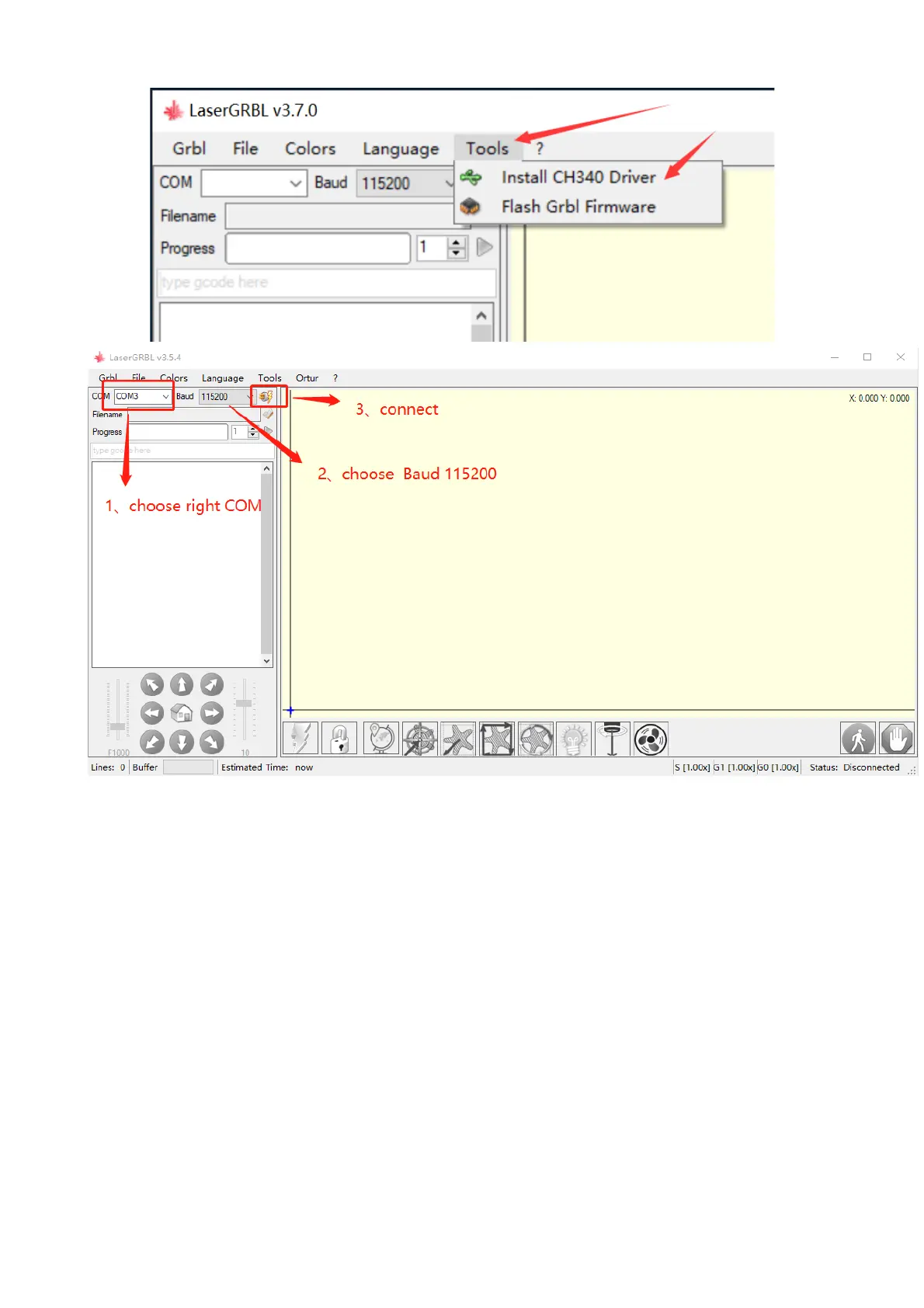
5. Setting Engraving Parameters
A. Select the engraving file.
Open LaserGRBL software, click "File"> "Open File", then select the
graphics you want to engrave, LaserGRBL supports NC, BMP, JPG,
PNG, DXF and other formats.
!"#$%&' 3.7 Connecting laser engraver
(


 To Next Page