Need help?
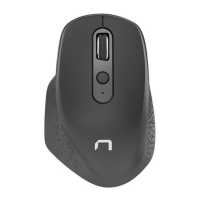
Do you have a question about the Natec CRAKE and is the answer not in the manual?
Connect USB transmitter, install drivers, and prepare the device for use.
Mouse enters sleep mode after inactivity; press any button to wake it.
Details sensor type, resolution, button count, dimensions, frequency band, and maximum power.
Lists the items included in the package: mouse and installation guide.
Guidance on proper use, avoiding damage from impacts, temperature, and magnetic fields.
Instructions on ventilation, avoiding drops, and preventing overheating.
Specifies system requirements for PC compatibility and operating systems.
States compliance with EU requirements, RoHS standards, and WEEE symbol meaning.
Details the limited manufacturer warranty period.

 To Next Page
 General