
EasyManua.ls Logo

natus OLYMPIC CFM 6000 - User Manual

natus OLYMPIC CFM 6000
42 pages
Print Icon
To Next Page IconTo Next Page
Loading...
602053A
DCN: 08-0175
Operator’s Manual
OLYMPIC CFM 6000
Version 2
CAUTION
Read and be familiar with this manual before operating this device.
To ensure operator, technician, and patient safety, use only as
specified in this manual.
0086

Questions and Answers

  • T
    Teresa MorrisonAug 12, 2025
    What to do if the screen is black on my natus OLYMPIC CFM 6000 Diagnostic Equipment?
    • J
      Jeremiah HarrisAug 12, 2025
      If the screen on your Natus Diagnostic Equipment is black, there are a couple of potential causes. First, ensure that the power cord is properly plugged in and that the power is turned on. If the power is on, check the fuse. A blown fuse could also be the reason; if it is blown, replace it.
  • L
    Lauren HansonAug 18, 2025
    How to fix a frozen screen on natus OLYMPIC CFM 6000 Diagnostic Equipment?
    • E
      eddie47Aug 18, 2025
      If the screen on your Natus Diagnostic Equipment is frozen and unresponsive, it may be due to a system error. Try turning the power off and then back on.
  • M
    Marc KnightAug 23, 2025
    What to do if natus OLYMPIC CFM 6000 shows high impedance?
    • J
      James CisnerosAug 23, 2025
      If your Natus Diagnostic Equipment indicates high impedance, it might be because the electrodes are not properly seated. Make sure that the electrodes are firmly adhered to the patient’s head.
  • T
    Teresa ByrdAug 29, 2025
    Why are patient name and ID missing from restored file on Natus Diagnostic Equipment?
    • A
      Alan EllisAug 29, 2025
      If the patient name and ID are missing from a restored file on your Natus Diagnostic Equipment, it is because, for confidentiality, patient data was removed when the patient file was archived to CD-R.
  • N
    Nicholas SharpSep 5, 2025
    What to do if Natus Diagnostic Equipment cannot open file?
    • A
      Ana GarzaSep 5, 2025
      The CFM 6000 can only display files that are in CFM format. If a file was compressed using desktop software, such as WinZip or Stuffit, decompress the file before restoring it to the CFM 6000.

natus OLYMPIC CFM 6000 Specifications

Display IconDisplay
Display typeSVGA video, Liquid-crystal display (LCD) touch screen
Display resolution800 × 600 pixel resolution
Display colors32-bit colors
Minimum viewing angle120 degrees
Power IconPower
Voltage100–240 V~
Current consumption1.0A
Frequency47–63 Hz
Ground resistance0.2Ω
Fuse type3AG, 2.5A, Slo-Blo, 250 V~
Operating Environment IconOperating Environment
Operating temperature65–85°F
Operating temperature (metric)18–29°C
Shipping temperature-13–158°F
Shipping temperature (metric)-25–70°C
Storage temperature-13–113°F
Storage temperature (metric)-25–45°C
Operating relative humidity0–95%, non-condensing
Non-operating relative humidity0–100%, condensing
Operating altitudeUp to 6, 560 ft.
Operating altitude (metric)2, 000 m
Operating and non-operating pressure500–1060 hPa, 14.7–31.3 inHg
Computer and Connections IconComputer and Connections
ProcessorP5-266–MHz processor or equivalent
RAM256-MB
Hard drive capacity80-GB (minimum)
I/O portRS-232
Ethernet portRJ-45 (10/100)
USB portUSB port for 60601-1–approved devices
Keyboard portPS2 standard keyboard serial port
Mouse portPS2 standard mouse serial port
Weight and Dimensions IconWeight and Dimensions
CFM 6000 size13.70-in. wide × 12.25-in. high × 11.25-in. deep
CFM 6000 size (metric)34.8-cm wide × 31.1-cm high × 28.6-cm deep
CFM 6000 weight17.5 lb
CFM 6000 weight (metric)7.9 kg
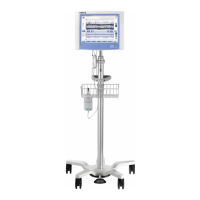
CFM cart size38.75–49.75-in. high × 25-in. diameter footprint
CFM cart size (metric)98.42–126.36-cm high × 63.5-cm diameter footprint
CFM cart weight40 lb
CFM cart weight (metric)18.1 kg