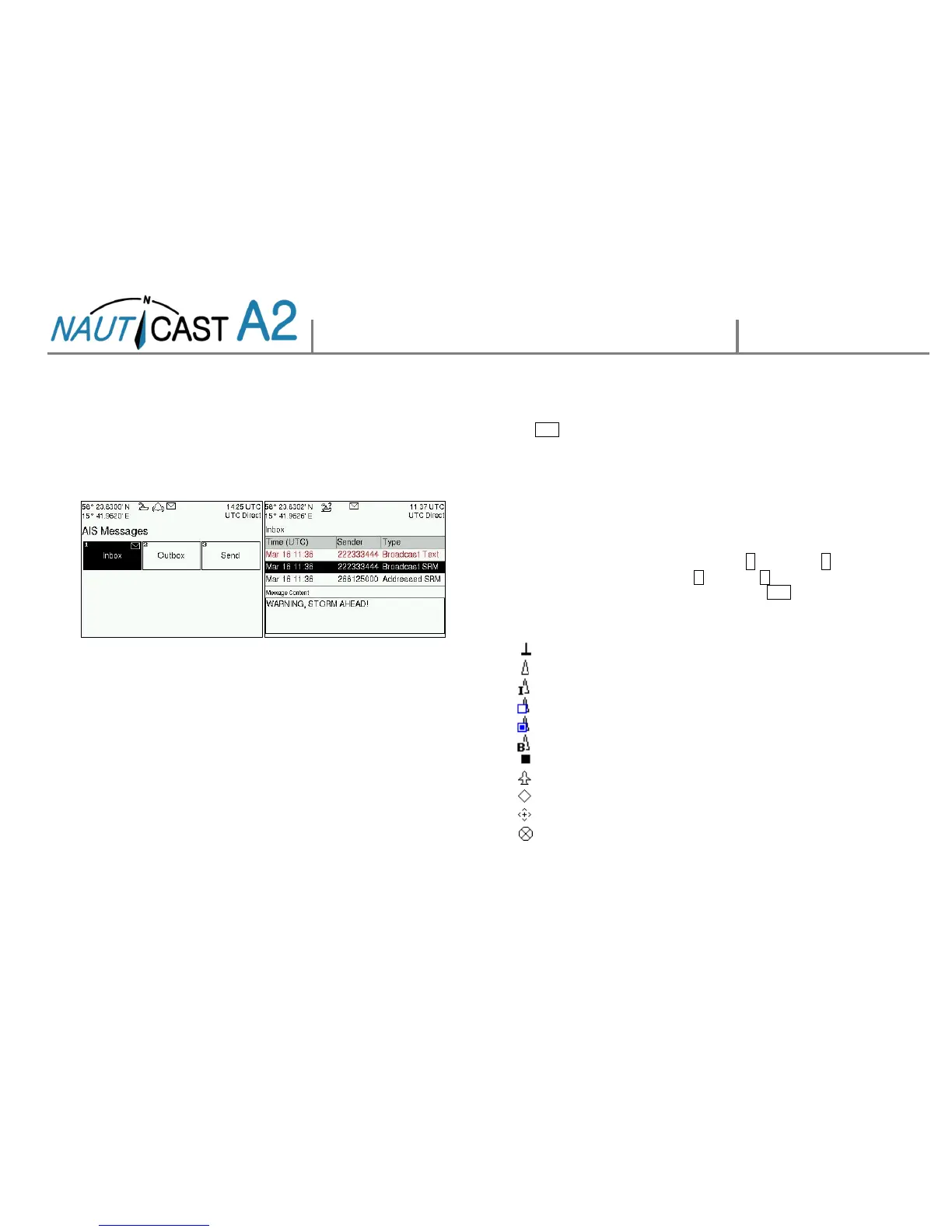
HANDLING SRM & TEXT MESSAGES
Safety related messages (SRMs) and text messages can be sent to
specific targets (addressed messages) or broadcast to all targets.
Handling of messages is supported by the AIS Messages view accessible
via
Main Menu Messages AIS Messages:
A letter symbol will be displayed in the status bar when a message has
been received.
VIEW LIST OF AIS TARGETS
Open
Main MenuTarget List
Select targets using the ARROW KEYPAD.
Press OPT to write a Safety Related Message (SRM) addressed the
selected target.
Press ENTER for extended info about a target.
NOTE: Extended information is only transmitted every 6 minutes. Fresh
targets may therefore not have complete information.
VIEW PLOT OF AIS TARGETS
Open
Main Menu Plot
The plot can be zoomed in and out with the UP and DOWN keys
on the ARROW KEYPAD. Use RIGHT > and LEFT < keys on the
ARROW KEYPAD to step between the targets. Press OPT to write a
Safety Related Message (SRM) addressed to a selected target.
TARGET SYMBOLS (TARGET LIST & PLOT)



 To Next Page