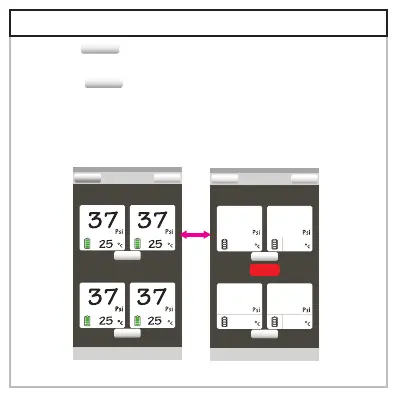
1.Press “ ”button on right top of your app screen
to pause.
2.Press “ ” button again on right top to resume.
pause
connect
StopStop
Back
My Car Monitoring...
(L)Front Tire1 (R)Front Tire2
(L)Rear Tire3 (R)Rear Tire4
setting
setting
Connect
Back
setting
setting
My Car Monitoring...
(L)Front Tire1 (R)Front Tire2
(L)Rear Tire3 (R)Rear Tire4
Stop
7.Program pause



 To Next Page