Need help?
Do you have a question about the Navitel E707 MAGNETIC and is the answer not in the manual?
Button for turning the device on/off.
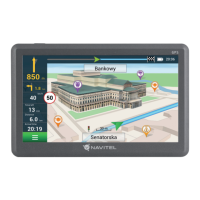
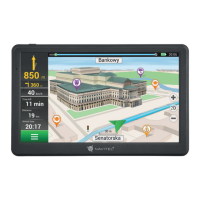
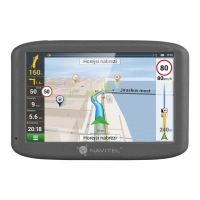
The main screen for viewing information and interaction.
Safe practices while driving and using the device.
Guidance on device placement and environmental factors.
Warnings about exposure to heat, sun, and moisture.
Steps to take if the device is unresponsive or not functioning.
Solutions for unexpected device shutdowns during startup.
Warning against unauthorized disassembly or modification.
Following traffic laws and safe vehicle operation.
Avoiding operations that could distract from driving.
Specifications related to GPS receiver, frequency, and channels.
Shows current speed and alerts for speed deviations.
Displays distance to closest driving regulations or cameras.
Install the Navitel Navigator Update Center software on your PC.
Connect the device to the PC using a USB Flash Drive/Mass Storage.
Confirm and initiate updates for Navitel Navigator or maps.
Select maps to buy, choose subscription length, and complete purchase.
 General
| Auto | Yes |
|---|---|
| Sport (fitness, running) | - |
| Marine (chartplotters, sounders) | No |
| Map coverage | Albania, Andorra, Austria, Belgium, Bosnia Herzegovina, Bulgaria, Croatia, Cyprus, Czech Republic, Denmark, Estonia, Finland, France, Germany, Gibraltar, Greece, Hungary, Iceland, Italy, Latvia, Liechtenstein, Lithuania, Luxembourg, North Macedonia, Malta, Moldova, Monaco, Montenegro, Netherlands, Norway, Poland, Portugal, Romania, Russia, San Marino, Serbia, Slovakia, Slovenia, Spain, Sweden, Switzerland, Ukraine, United Kingdom |
| Lifetime map updates | Roads change, but with Lifetime Map Updates your map will always be up to date. Start fresh every few months by downloading a new edition of the industry's most accurate map. New editions are issued four times per year. |
| Display diagonal | 7 \ |
| Display resolution | 800 x 480 pixels |
| Processor model | MStar MSB2531 |
| Battery capacity | 1500 mAh |
| Power source type | Battery, Cigar lighter |
| Form factor | Handheld/Fixed |
| Product color | Black |
| RAM capacity | 256 MB |
| Storage media type | Flash |
| Internal memory type | DDR3 |
| Compatible memory cards | MicroSD (TransFlash) |
| Maximum memory card size | 32 GB |
| Internal storage capacity | 8 GB |
 Weight and Dimensions
| Depth | 17.5 mm |
|---|---|
| Width | 132 mm |
| Height | 89 mm |
| Weight | 248 g |

 To Next Page