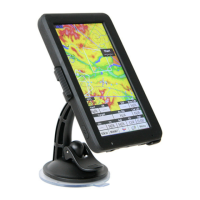
Need help?
Do you have a question about the Naviter Oudie N and is the answer not in the manual?
Details on screen size, resolution, brightness, orientation, and touch.
Physical dimensions and weight of the device.
Information on battery capacity, autonomy, and charging time.
List of integrated sensors including pressure, GPS, and gyro.
Details on RAM and internal storage.
Details on USB, Wifi, Bluetooth LE, 4G/LTE, and tethering.
Specifies the device runs on Android 9.
Information about SeeYou Navigator and its lifetime upgrades.
Overview of map types, detail levels, and offline download options.
Connecting external devices via Bluetooth Low Energy.
Lists available task modes like XC, racing, and assigned areas.
Features available without an internet connection, including flight track and thermal assistant.
Details on real-time data layers and online contest integration.

 To Next Page
 General