EasyManua.ls Logo

Navtex NVX-1000 - User Manual

Default Icon
10 pages
Print Icon
To Next Page IconTo Next Page
Loading...
Page
1
These instructions are for your safety. Please read through them thoroughly before use and retain for
future reference-
Before You Start
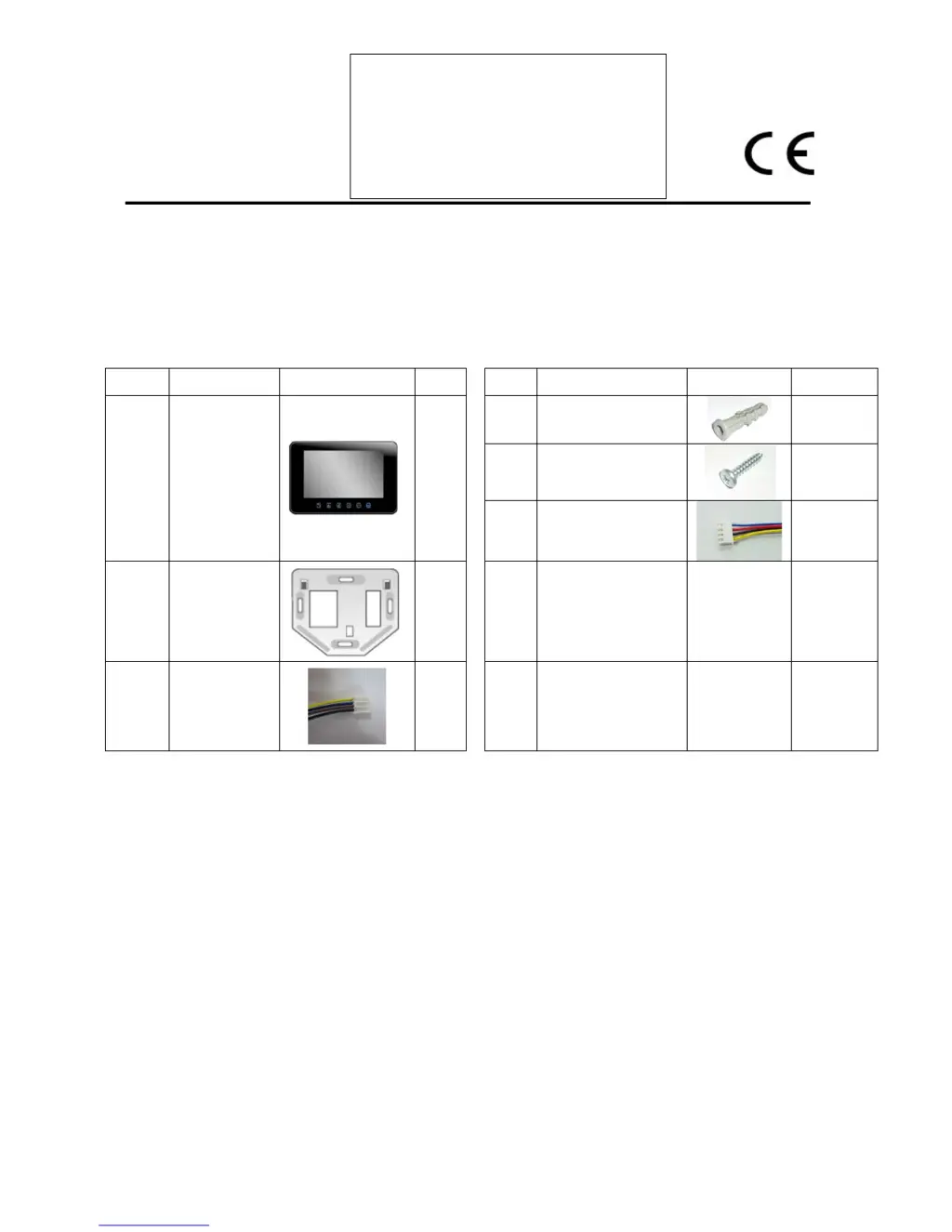
Check pack and make sure you have all of the part listed above. If not, contact your local
store who will be able to help you.
Parts Description
Fittings Supplied
Ref
Description
Illustration
Qty
Description
Illustration
Qty
A
Indoor
Monitor
1
Wall Plug
4
Screw
4
Accessory
Connector
4
B
Wall
mounting
bracket
1
C
Wire
Connector
1
Safety & Operating Instructions
VIDEO DOOR PHONE
10.2” DIGITAL HANDSFREE COLOR
MONITOR NVX-1000

Questions and Answers

Summary

Cable Connection and Installation

Cable Connection Details

Connect the monitor to the camera using the appropriate cable and ensure secure wire insertion into terminals.

Installation Height Recommendations

Provides recommended installation heights for the monitor unit (140cm) and outdoor camera (150cm).

Indoor Monitor Installation

Instructions for fixing the wall bracket, mounting the monitor, and setting up master/slave configurations.

Operating Instructions

Unit Activation

Activates indoor unit when call button is pressed, showing visitor video and enabling talk function for 40 seconds.

Outside Unit Activation from Monitor

Activates outdoor camera view from indoor unit and allows switching between cameras if multiple are installed.

Working Time Details

Specifies call time (40s), talk time (80s), and monitor time (40s) for unit operations.

Intercom Function

Enables intercom calls between monitors from standby, with auto-off after 120 seconds.

Advanced Operations

Mute On;Off Function

Controls mute function, indicated by LED color change (red for mute on, blue for mute off).

Melody Selection

Allows selection of one of four different chime melodies for the unit.

Door Open Function

Enables the door open function to allow callers entry when the monitor is turned on.

CCTV Camera Selection

Allows activation and switching between connected CCTV cameras from the indoor unit.

LED Backlight Control

Controls backlight on/off and adjusts brightness for the monitor's LED indicators.

Troubleshooting and Maintenance

Care and Maintenance Guidelines

Advises on avoiding extreme temperatures, drops, dirt, and harsh chemicals for device longevity.

Troubleshooting Common Issues

Provides solutions for no power, no picture, dark/white picture, and low chime sound issues.

Environmental Protection

Guidance on proper disposal of electronic waste and recycling of products.

Navtex NVX-1000 Specifications

General IconGeneral
BrandNavtex
ModelNVX-1000
CategoryIntercom System
LanguageEnglish