20
Display
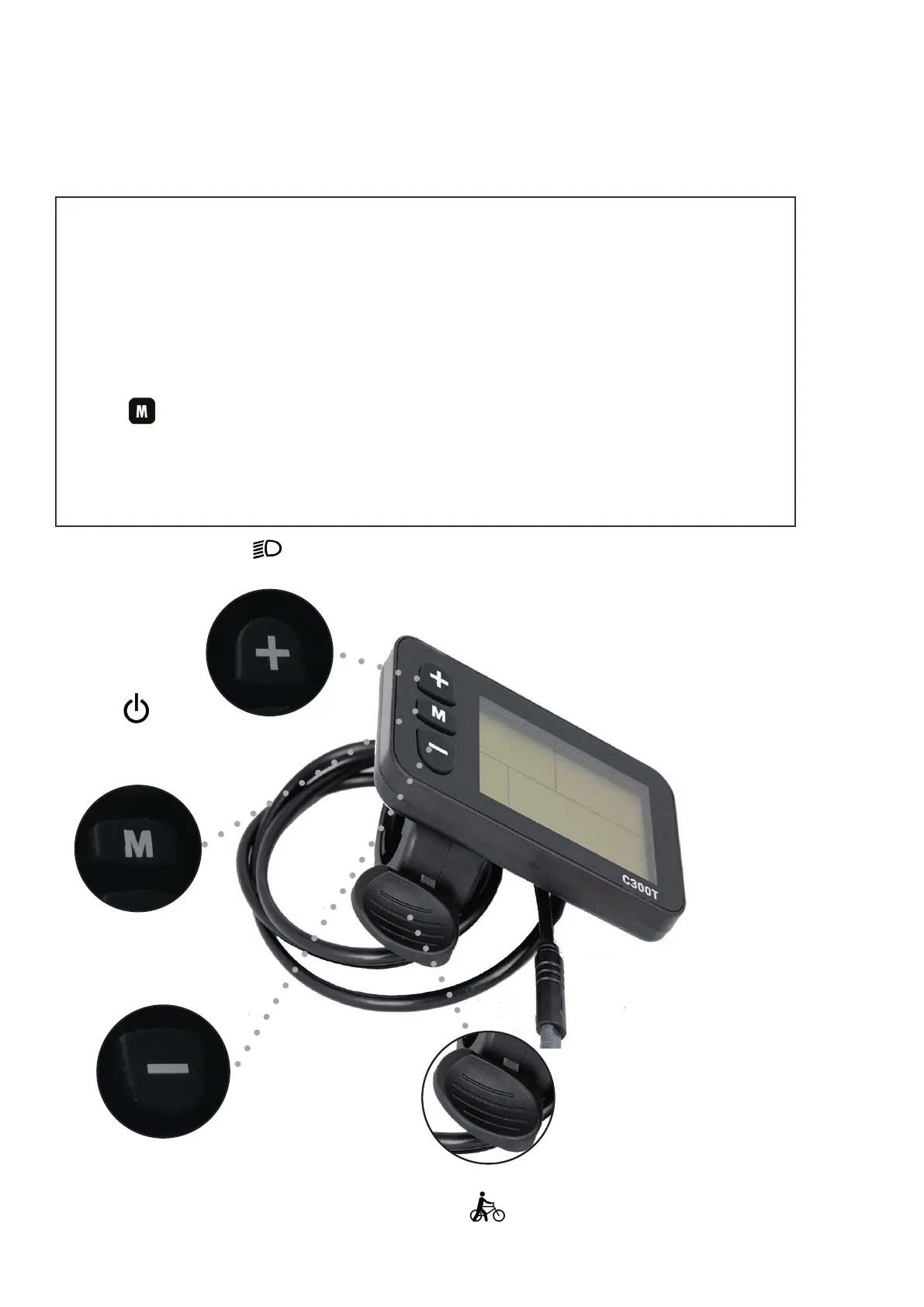
The display is operable by 3 buttons from the left side of the handlebar.
Note that the indicator may uctuate depending on driving whether you are
driving uphill, accelerating or driving downhill.
Error codes are intergrated to the display and is displayed by error codes.
NB! The button can be used to switch between various functions, such
as trip counter, travel time and speed.
On /o button
Choice of functions
Up/light button
Down button
Push throttle



 To Next Page